Strive February 2026 Updates 🚀
February 2026 Update
Dear Strivers,
March is here, and we’re sharing a recap of the February 2026 update. Happy Chinese New Year and best wishes for the year ahead. We’ve made some enhancements to improve your overall experience. These changes aim to make your experience smoother. Read on to view the updates.

____________________________________________________________________________
Enhancements
1. Instagram Comment Auto DM Flow 💬
You can now set up a Flowbuilder that automatically sends a direct message when someone comments on your Instagram post.
You can choose to trigger it for any post or only a specific post, and even set to trigger when contain certain keywords in the comment.
You can also enable a public auto response in the comment section, so followers instantly see a reply from you. There is an option to track first level comments only, helping you focus on main comments instead of replies.
This enhancement helps you engage with followers faster, respond automatically, and turn comments into meaningful conversations without needing to reply manually every time. 🚀

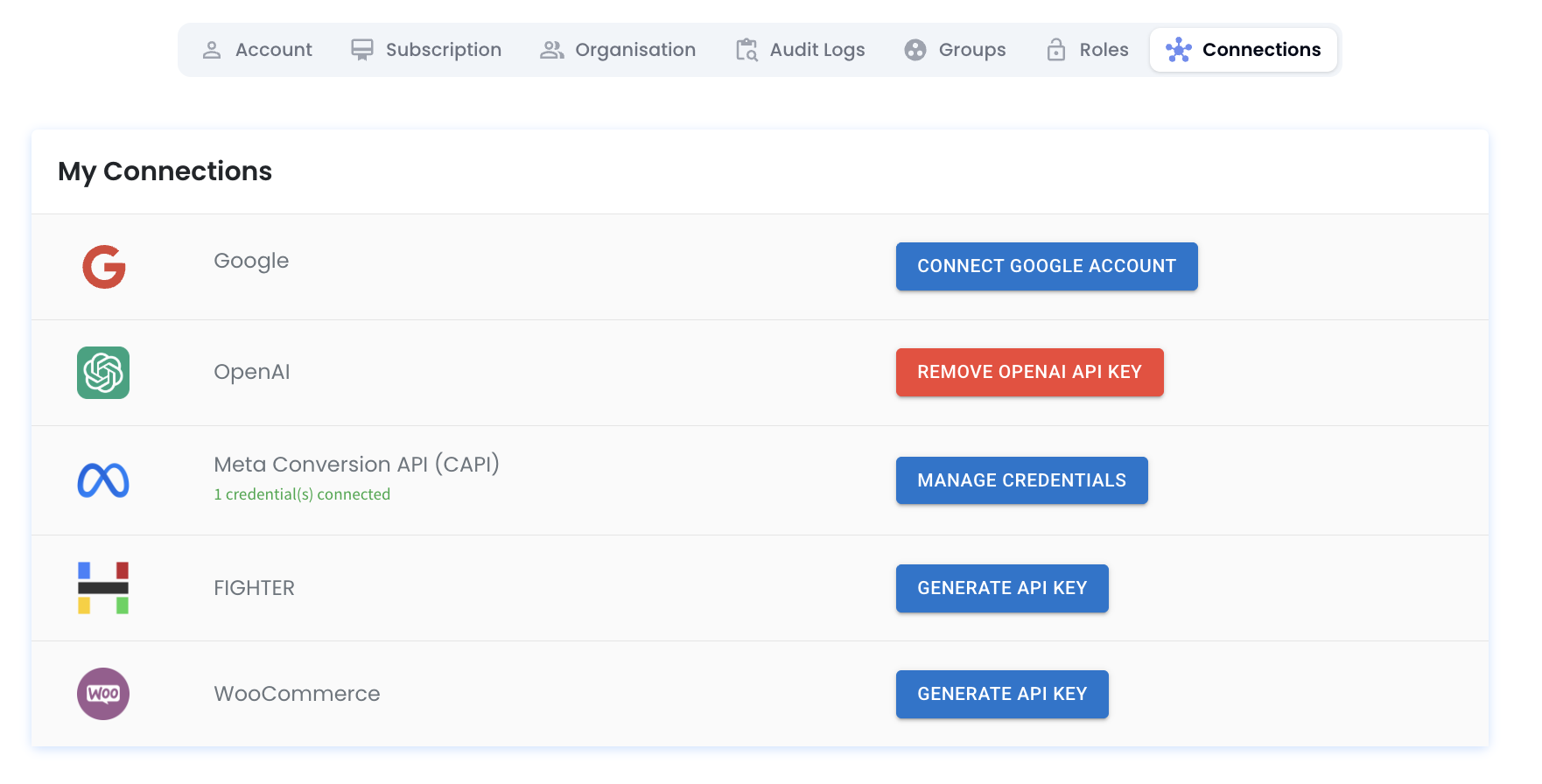
2. Connect Fighter and WooCommerce to Strive Easily 🔗
You can now connect Fighter and WooCommerce directly to Strive. Simply click on Generate API Key inside Strive, then use that key to connect with Fighter and WooCommerce.
Once the platforms are connected, your data can sync into Strive smoothly. You will then be able to use Flowbuilder to automate actions based on orders, customers, or other activities from these platforms. This allows you to trigger messages, updates, or follow ups automatically when certain events happen.
This enhancement helps you centralize your store data and automate your workflow, so you can manage everything in one place and save more time. ⏰
3. Trigger Flowbuilder Using Webhook 🌐
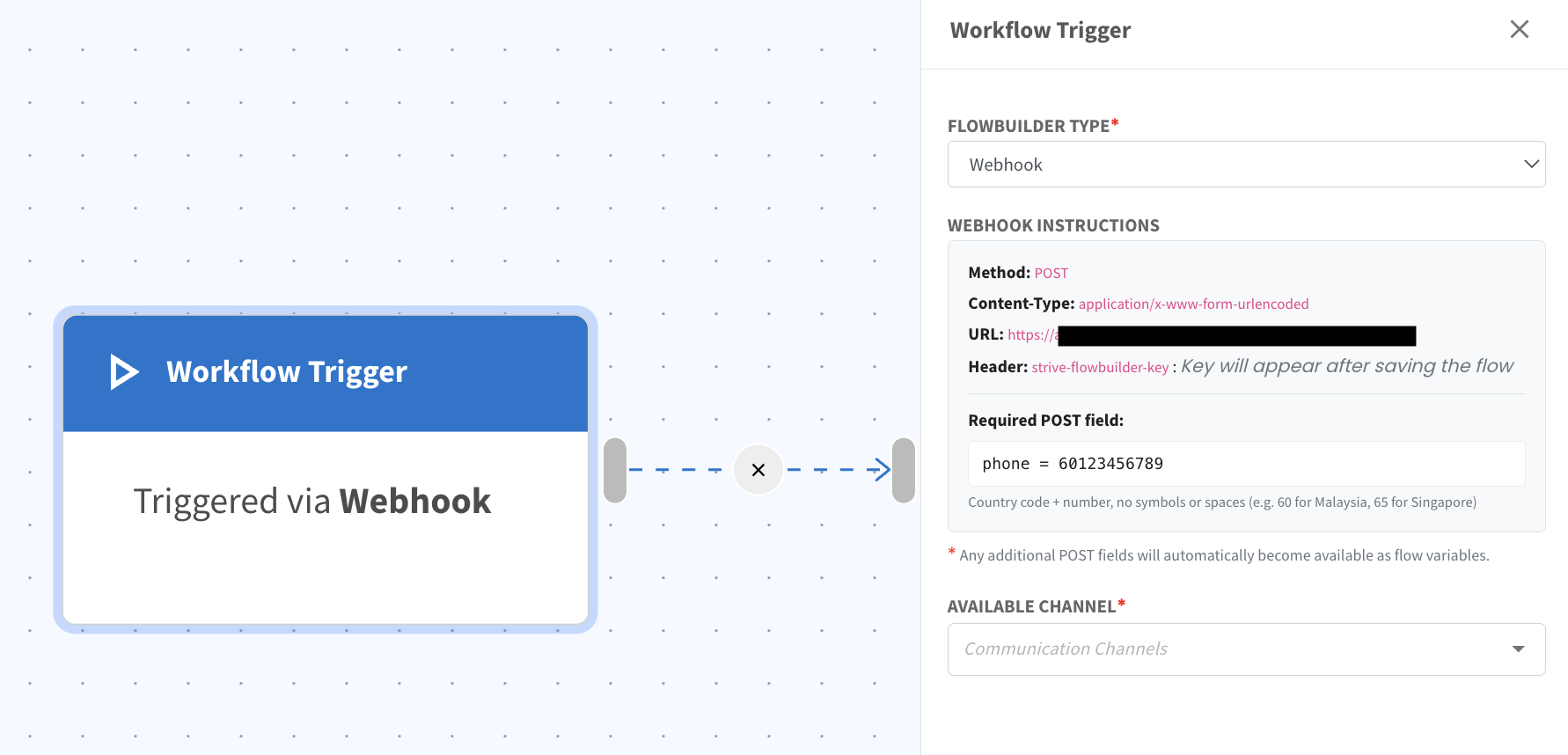
You can now set up a Flowbuilder that is triggered through a webhook.
Just choose Webhook as the Flowbuilder type, then configure the flow based on the actions you want to automate. Once the webhook URL is generated, you can connect it to your intended platform to send data into the flow.
When the webhook receives data, the flow will start automatically and perform the steps you have set, such as sending messages, updating contact details, or logging activities. ⚡
4. Flexible Button Options for WA API Templates 📲
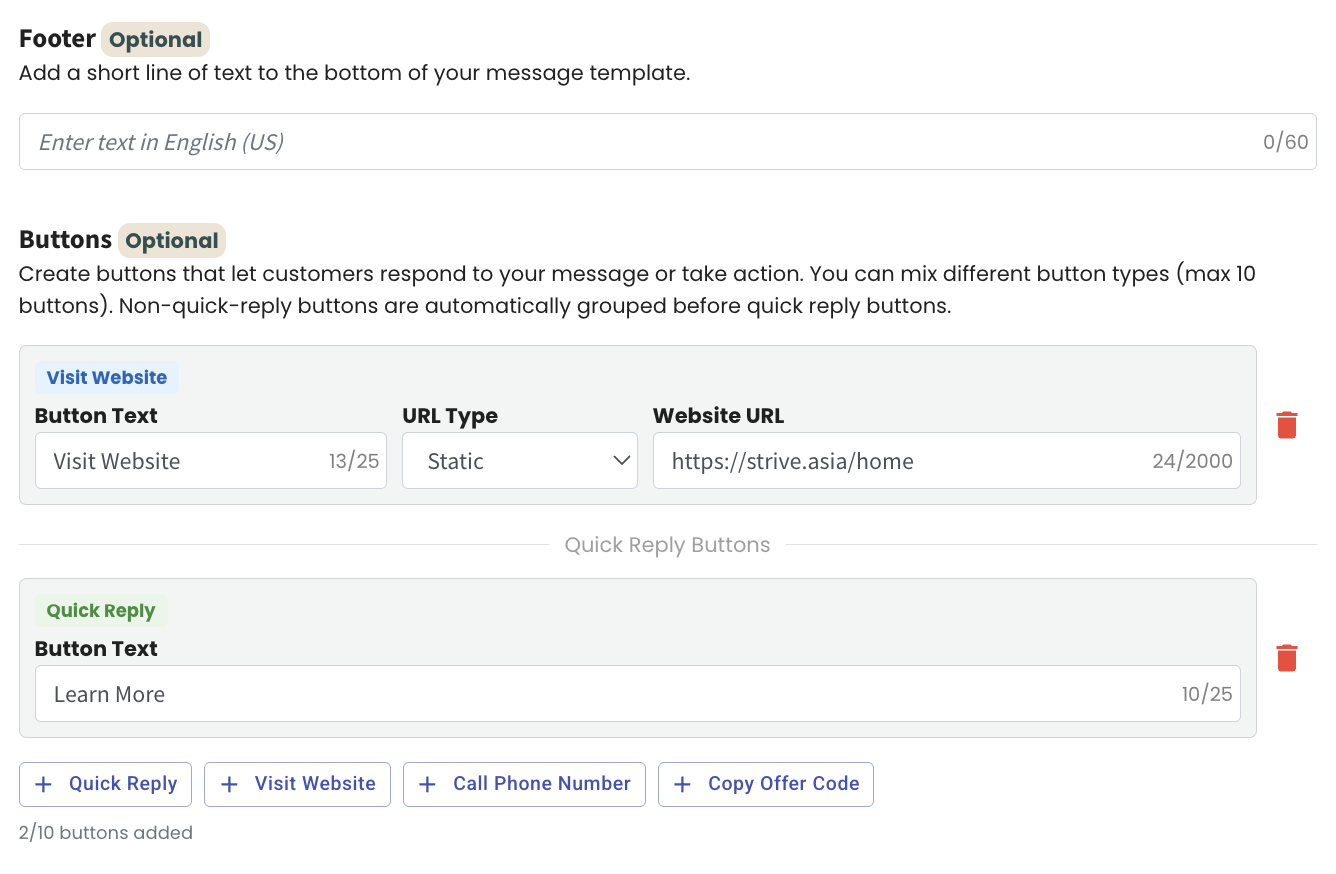
You can now set up different types of buttons in your WA API Template with more flexibility. When creating your template, you can select both Visit Website and Quick Reply buttons at the same time. This allows you to guide customers to a link while also giving them an easy way to respond instantly.
The button options are simple to configure during the template setup process. You just choose the button type you want and customize it based on your campaign needs. Everything is clearly arranged so you can build your message with the right action buttons included.
This enhancement helps you create more interactive messages, increase engagement, and make it easier for customers to take action directly from your WhatsApp message. 🚀
5. Automatically Log Purchases Using Flowbuilder 🛒
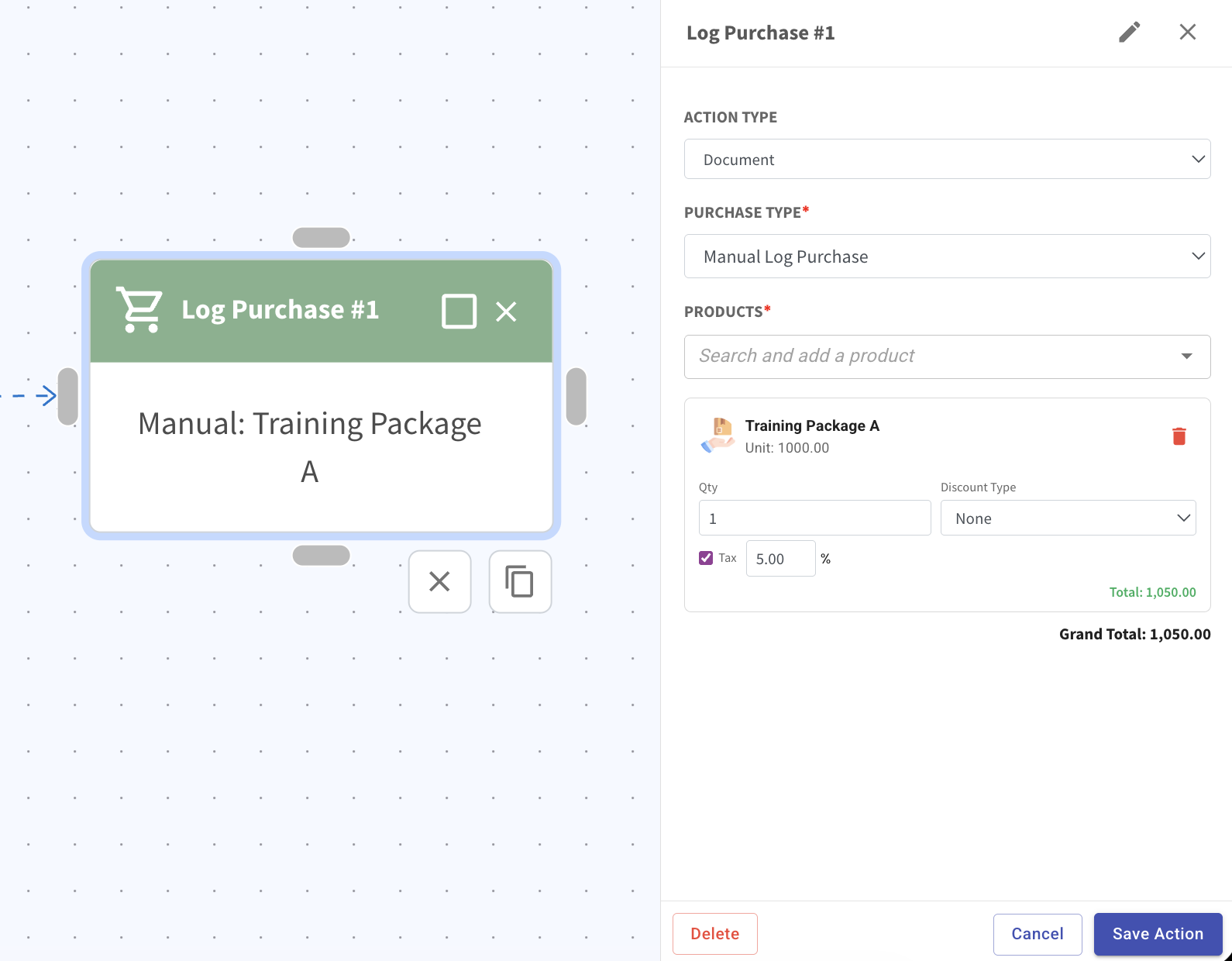
You can now set up Flowbuilder to automatically log a purchase for your contact. Simply choose the action Log Purchase, set the purchase type to Manual Log Purchase, then select the product(s) and fill in the necessary details such as quantity, discount type, and tax if needed. The system will calculate the total and grand total for you before saving the action.
This allows you to record purchases directly inside your automation flow without manual entry each time. The logged purchase will appear in the contact profile and update the customer’s order history and value accordingly.
This enhancement helps you automate product purchase, reduce manual work, and keep accurate customer purchase records effortlessly. 📦
6. WA API Authentication Template Category Now Available 🔐
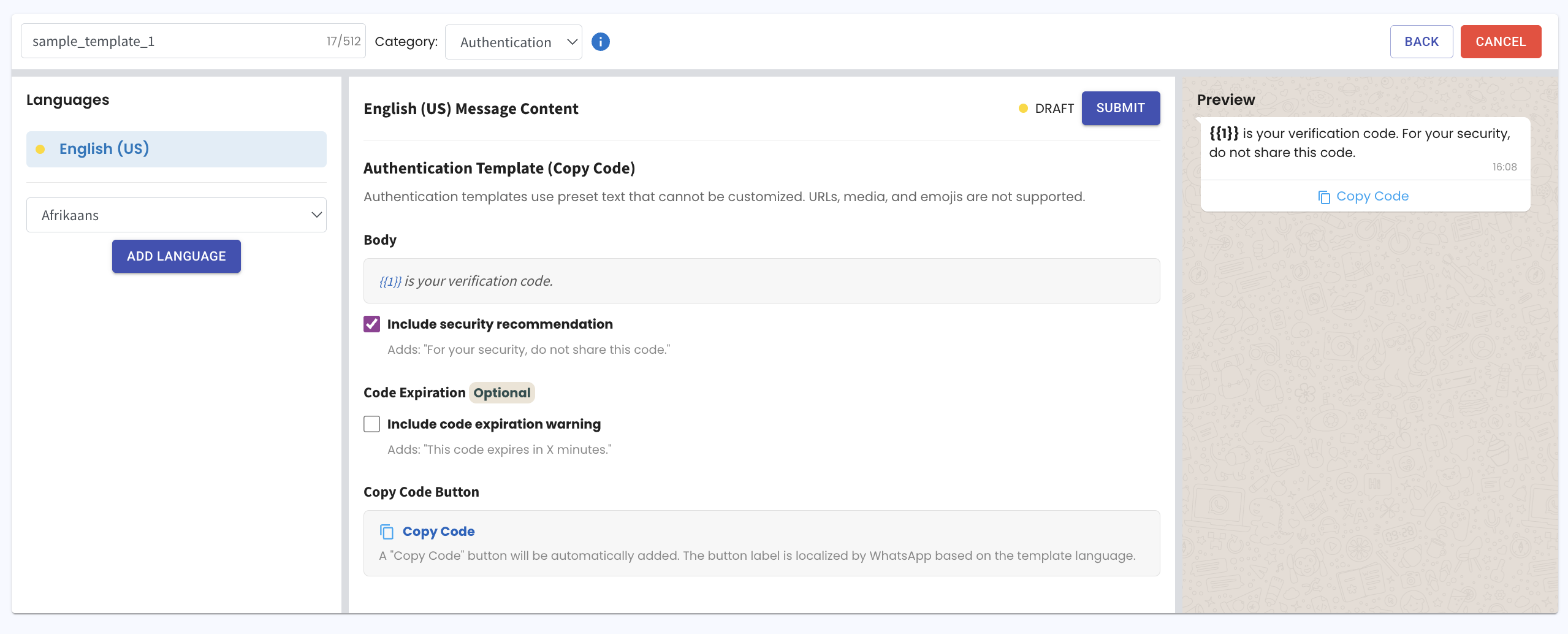
You can now apply for an Authentication category template in WA API Template. This template is specially designed for sending one time passwords to your customers when they need to verify a login or confirm a transaction. It ensures that important verification messages are sent in a proper and approved format.
Authentication messages are used for secure actions such as account login, payment confirmation, or identity checks. These templates are specially structured for sending one time passwords clearly and safely. This ensures your important verification messages are delivered in a trusted and reliable way.📱
7. Visual Summary for WA API Broadcast 📊
You can now view a visual summary for your sent WA API Broadcast.
Just click Edit on a sent broadcast, then click on Summary to see the report in an easy to understand format.
The summary shows how many contacts received the message, how many read it, and how many responded. 👀
This enhancement helps you measure your campaign performance faster and make better decisions for your next broadcast. 🚀

8. View Customer RFM Persona in Contact Profile 👤
You can now easily view your contact’s RFM Persona directly inside the Contact module.
Click on a contact, then scroll down the right column to find it under the Customer Value section. The RFM Persona is displayed together with other customer value details for quick reference.
RFM stands for Recency, Frequency, and Monetary value. It shows how recently the customer purchased, how often they buy, and how much they spend, helping you quickly understand their buying behavior. You can set the RFM settings inside the Relationship module based on your business needs.
This enhancement helps you quickly understand your customer behaviour so you can plan better follow ups, promotions, and engagement strategies. 🚀
9. Auto Currency Conversion for Manual Orders 💲
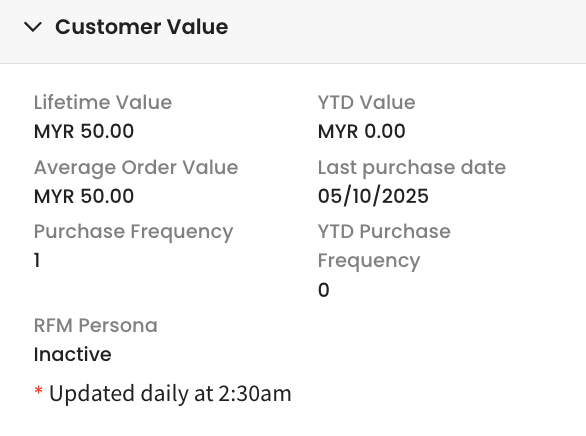
You can now manually log a purchase in any currency, and the system will automatically convert it to MYR right away.
This works when you add the order from the Contact, Product, or Inbox module. Once saved, the converted amount will instantly update inside the Customer Value section.
This helps you maintain accurate customer value records in MYR, making your reports and tracking more reliable and easier to manage. 🚀
10. Auto Create Products with Currency During Order Import 📦
You can now import orders together with the product currency more smoothly.
When you upload an order, the system will check whether the product with that specific currency already exists. If it does not exist yet, a new product will automatically be created with the stated currency.
This means you no longer need to manually create the product before importing the order. You can simply import the order file, and the correct product with the correct currency will be created for you. 🚀
Note: When the imported order uses a currency other than MYR, the amount will be converted automatically. The updated value will be reflected immediately under Customer Value inside the Contact module.
11. Clear Label for One Time Flow Triggers in Inbox 🔔
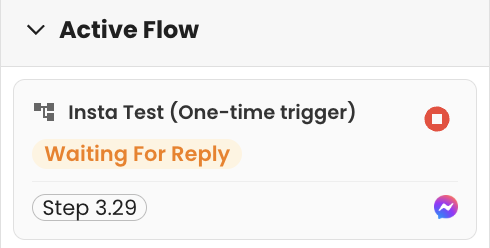
One Time Flow triggers will now be displayed as [Flow Name] One Time Trigger in the Inbox.
This makes it clear that the flow was triggered manually after you edited or viewed the flow before sending it. You can easily identify that it is not an automatic trigger, but a one time action. 👀
This enhancement helps you understand exactly how a flow was triggered, giving you better control and clearer records of your automation activities. 🚀
12. View All Contacts Including Unassigned by Default 👀
Now when you open the Contact module, you will automatically see all contacts you have access to, including unassigned contacts. You no longer need to click on the filter just to include unassigned contacts in your view. Everything is shown by default to make it clearer and more complete.
If you want to see contacts under a specific contact owner, simply click on the filter icon, clear the current filter, and select the contact owner you prefer. This gives you flexibility to narrow down your list anytime while keeping the default view simple and full.
This enhancement helps you save time and avoid extra steps, making it easier to manage and monitor all your contacts in one place. 🚀
13. Payment Method Column Now Available in View Order 💳
You can now see the Payment Method column when viewing your orders. This means every order will clearly show how the customer made their payment, such as bank transfer, credit card, or other available option based on your input.
You no longer need to open each order individually just to check the payment type. The payment method is visible together with other order details, making the list more complete and informative. This gives you better visibility when reviewing transactions. 🚀

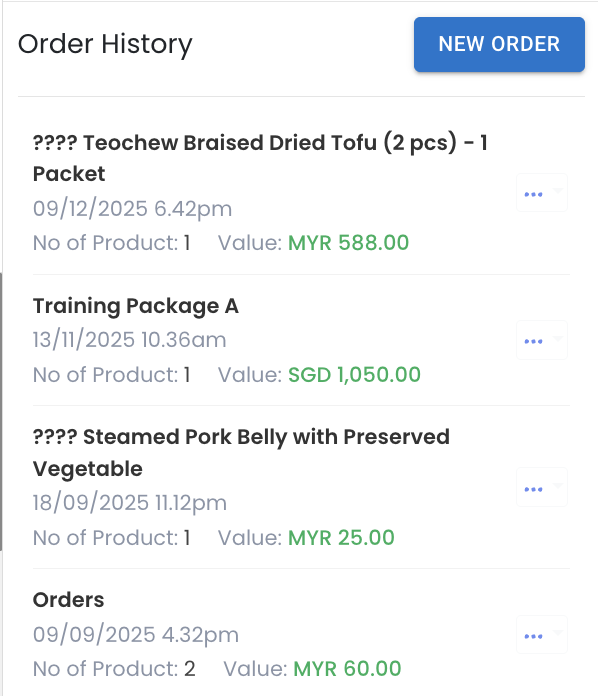
14. Improved Order History View in Contact Module 📦
You can now easily see the products ordered by a contact directly inside the Contact module. Simply click on the contact, select More, then choose Product to view the full order history. Each order shows the product name, date and time, number of products, and the order value.
If an order contains only one product, the product name will be displayed clearly. If there is more than one product in the same order, it will be shown as Orders to indicate multiple items were purchased. This keeps the order history neat and easy to scan at a glance.
This enhancement helps you quickly understand what each contact has purchased, so you can personalise follow ups, plan targeted campaigns, and manage customer relationships more effectively. 🎯
15. Smarter Select All Option in Contact Module 👥
You can now select all contacts more easily inside the Contact module. When you tick the checkbox, you will be prompted to select the top 5,000 contacts or all contacts available. This is especially helpful when you are managing a large contact list.
This makes bulk actions such as adding contact to contact list, assigning owners, or others more flexible and controlled. 📋
16. Faster Flow Loading in Inbox and Strive Go ⚡
We have improved the loading speed when displaying flows in both the Inbox and Strive Go Inbox. Now when you type / or click on trigger flow, the list of available flows will appear much faster. You will notice less waiting time before selecting the flow you want to send.
This improvement makes the experience smoother and more responsive, helping you reply faster, reduce waiting time, and handle customer chats more efficiently during busy periods. 🚀
17. Tagging report now loads faster!
We have optimised the loading speed of tagging report and should load much faster now!
____________________________________________________________________________
This wraps up the February 2026 update. We appreciate your continued support. Do look forward to our next update 🙂