Automatically Turn Off Flows at a Scheduled Time ⏰
What's New:
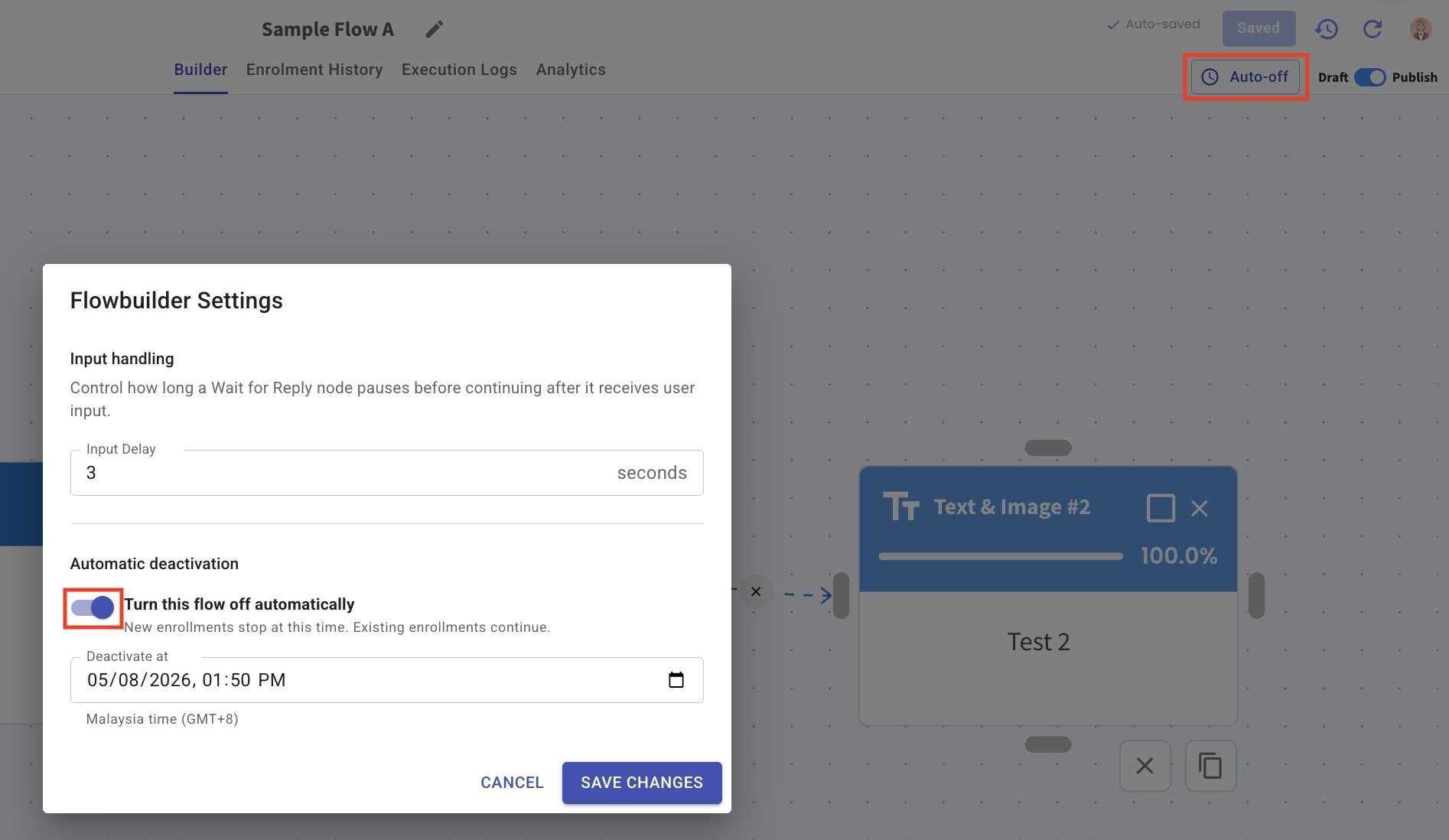
You can now set an Auto-off date and time for your flow.
Once the scheduled time is reached, the flow will automatically turn off and stop accepting new enrolments, while existing enrolments can continue. 🕒
What it means to you:
This is especially useful for promotions, campaigns, or time-sensitive activities that only run for a specific period.
You no longer need to remember to manually turn off the flow once your campaign ends. 🎯
How you can go about it:
Go to Flowbuilder and edit your enabled flow.
Click Auto-off at the top right.
Enable Turn this flow off automatically.
Select your desired date and time.
Click Save Changes. 🚀