More Tag Filter Options in Contact List 🏷️
What’s New:
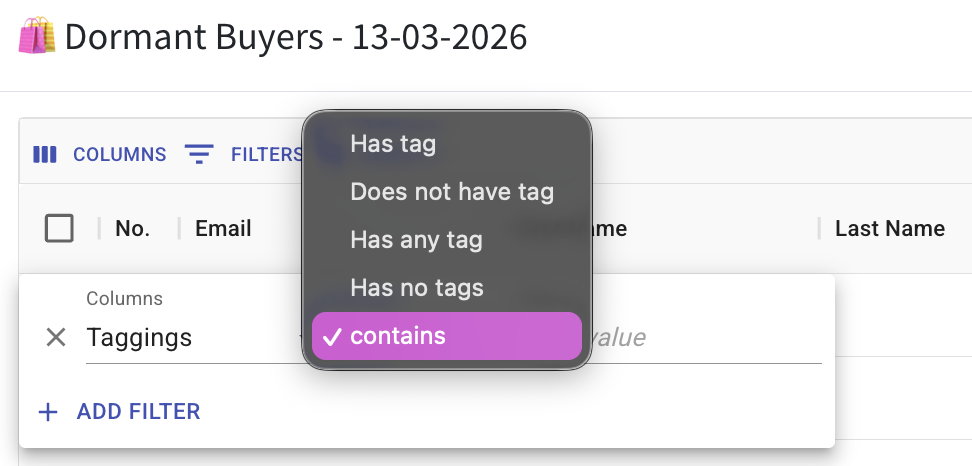
You now have more options when filtering contacts by tagging in the Contact List. 🔍
You can choose options like has tag, does not have tag, has any tag, has no tags, or contains when filtering.
What it means to you:
You can filter contacts more precisely based on their tagging. 🎯
This helps you quickly find the exact group of contacts you are looking for.
How you can go about it:
Click on the eye icon to view the contact list
Click on the filter icon
Select Taggings
Choose the filter option such as:
• Has tag
• Does not have tag
• Has any tag
• Has no tags
• ContainsApply the filter
This allows you to better segment and view your contacts based on tagging.