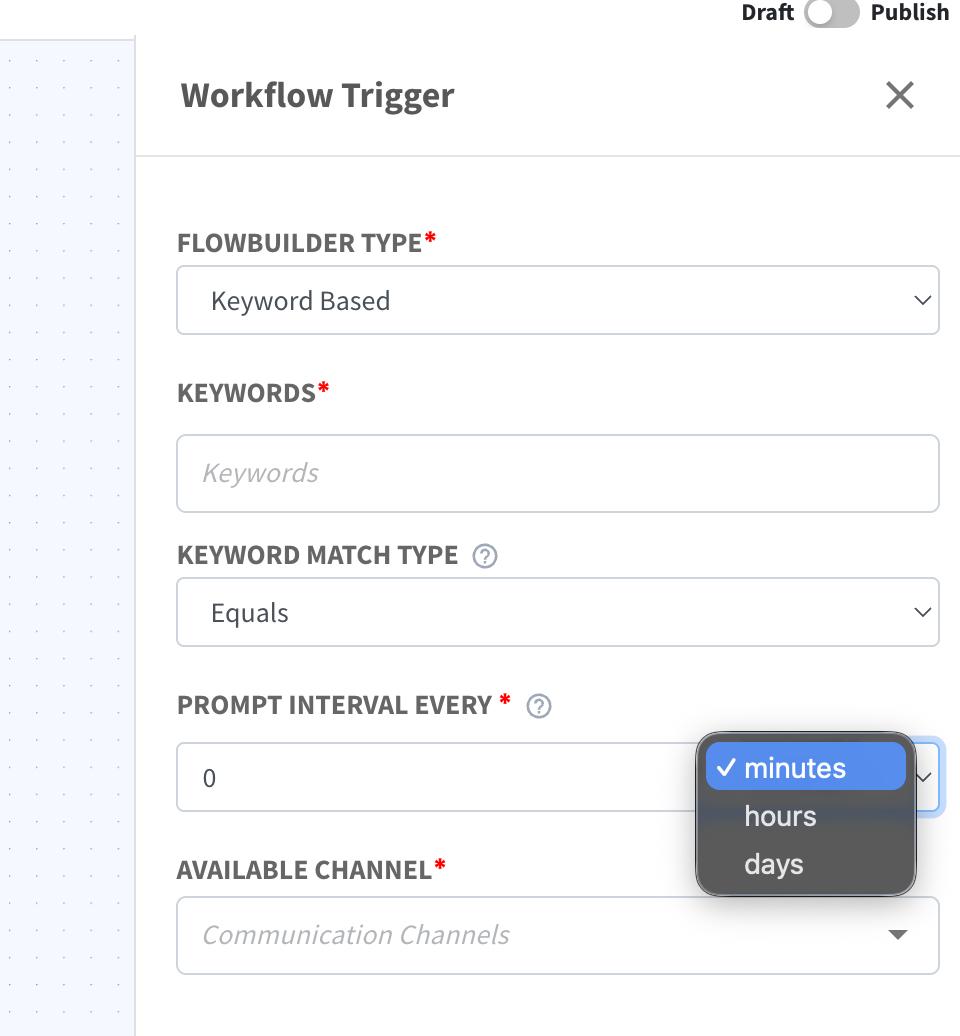
Workflow Trigger Prompt Interval Now Supports Hours & Days ⏱️
What's New:
The Prompt Interval in Workflow Trigger now supports Minutes, Hours, and Days 🎉
What it means to you:
You can now configure a more flexible cooldown period to control when a contact can re-trigger the same flow. This helps better manage flow frequency and avoid repeated triggers ⚡
With this enhancement, you can:
✅ Set prompt interval in minutes, hours, or days
✅ Control re-entry timing for contacts in flows
✅ Reduce unnecessary repeated triggers
✅ Build more flexible automation logic 🚀
How you can go about it:
Go to Flowbuilder Module and create or edit a flow.
Click on the first node (Workflow Trigger).
Select your preferred unit (Minutes, Hours, or Days) and set the duration.
Save and publish your flow 🎉