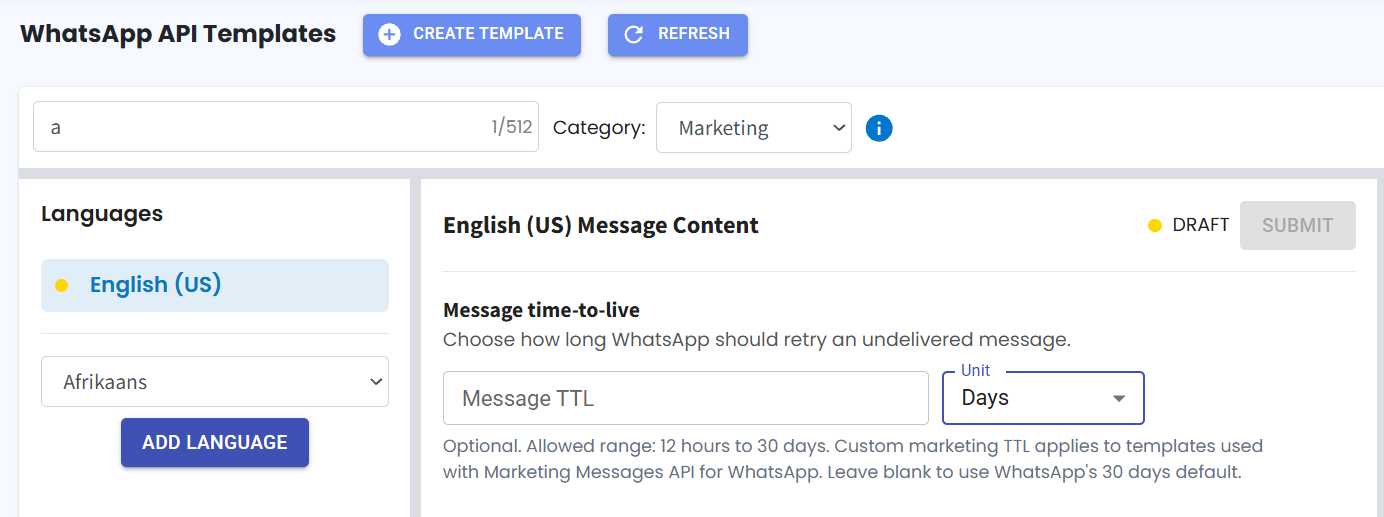
Add Time-to-Live (TTL) for WhatsApp Marketing Templates ⏱️
What's New:
You can now set a Time-to-Live (TTL) for WhatsApp API Marketing Templates used in Broadcasts. ⏳
What it means to you:
TTL lets you define how long WhatsApp should keep trying to deliver a marketing template message. If the message isn't delivered within the configured time, it will automatically be marked as Failed instead of remaining pending indefinitely. This gives you a more accurate delivery status and makes it easier to monitor broadcast performance. ✅
How you can go about it:
Go to WA API Template.
Create a new template.
Select Marketing as the template category.
Set your preferred TTL (Time-to-Live) before submitting the template.