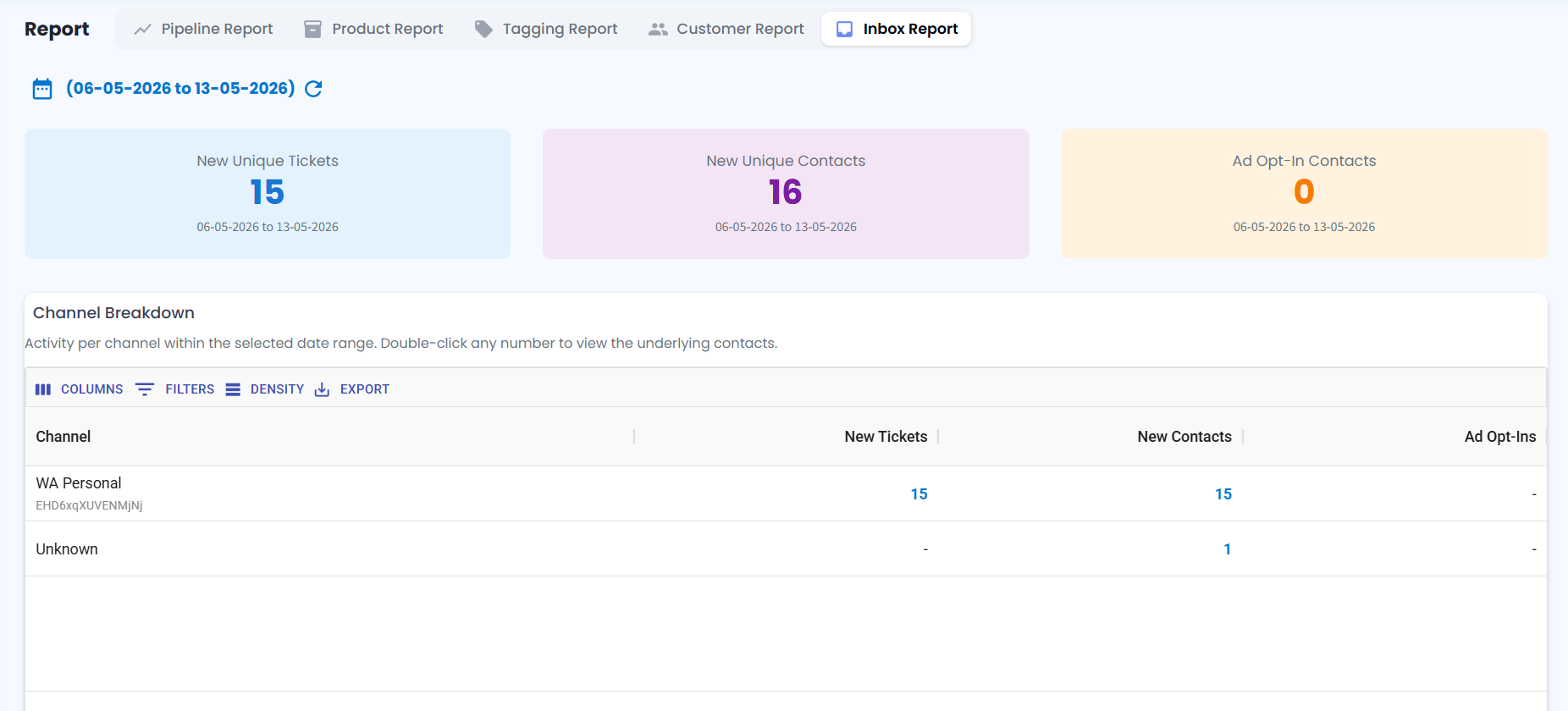
Inbox Report Module 📊
What's New:
We've enhanced the Report Module with Inbox Report functionality 📈
What it means to you:
You can now generate inbox reports to track key performance metrics directly from your dashboard 🌟
With Inbox Report, you can:
✅ Track New Unique Tickets
✅ Monitor New Unique Contacts
✅ View Ad Opt-In Contacts
✅ Analyze inbox activity within a selected date range
✅ Get clearer insights into customer engagement and support volume 🚀
How you can go about it:
1. Navigate to the Report Module, then click on Inbox Report
2. Select your desired date range.
3. Click Generate Report.
You will then be able to view and track your metrics including New Unique Tickets, New Unique Contacts, and Ad Opt-In Contacts 🔔