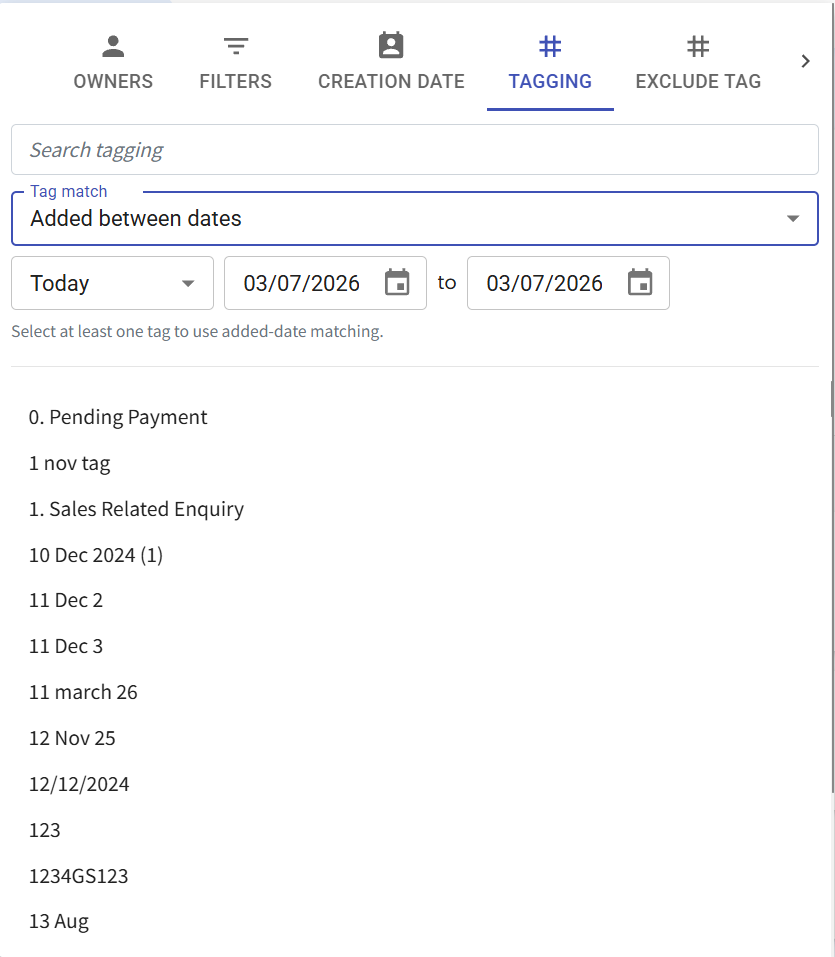
New "Tag Added Date" Filter in Contact Module 🏷️📅
What's New:
We've added a new Tag Added Date filter in the Contact Module 🎉
What it means to you:
You can now filter contacts based on when a specific tag was added, making it easier to build more targeted contact lists for broadcasts and campaigns ⚡
With this enhancement, you can:
✅ Filter contacts by tag added date
✅ Create more precise audience segments
✅ Improve broadcast targeting
✅ Build better contact lists for campaigns 🚀
How you can go about it:
Go to Contact Module.
Click on the Filter icon.
Click on Tagging.
Select a tag and select "Added Between Dates" under Tag match option.
Select the date range via date range presets or custom a date range.
Apply the filter to view matching contacts 🎉