📎 Add Attachments to Contact
What's New:
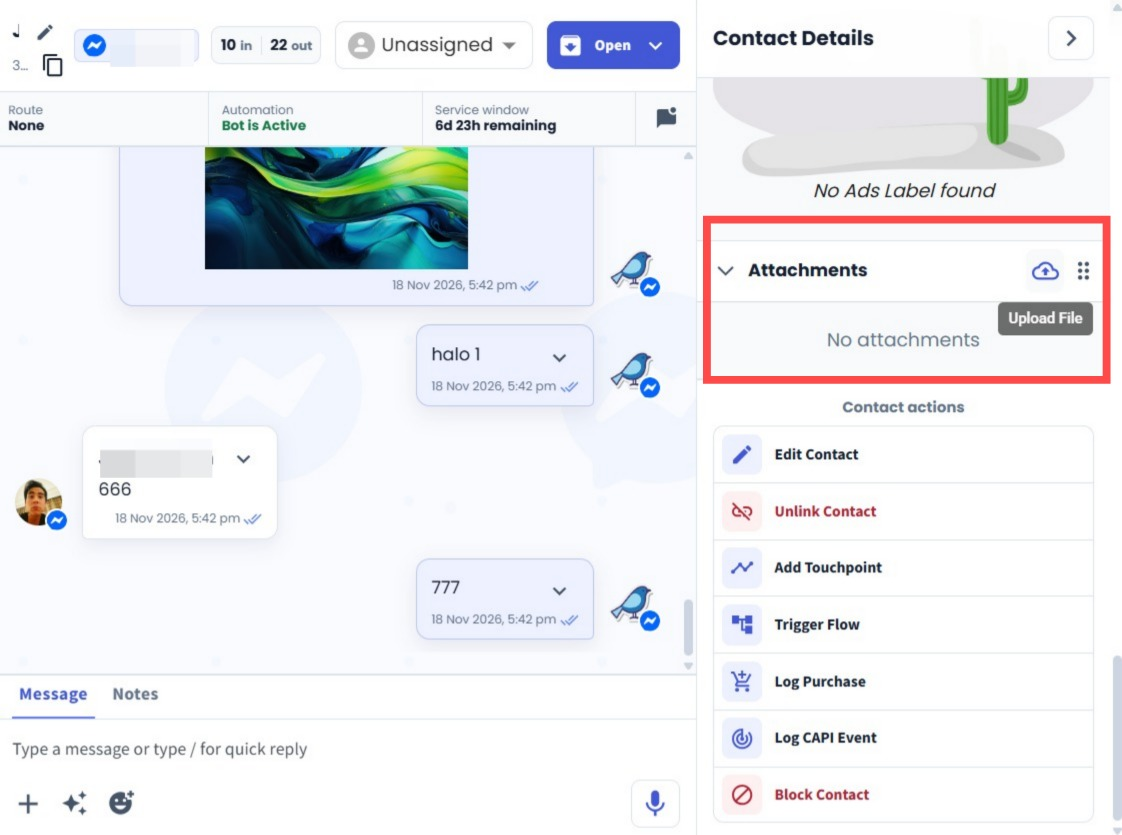
You can now upload and manage files directly from the Contact Details panel with the new Attachments section.
What it means to you:
Keep important customer documents, such as invoices, directly with the contact record. Your team can easily access the files without searching for them elsewhere.
How you can go about it:
Open a chat.
Scroll down to the bottom under Contact Details on the right side.
Find the Attachments section.
Click Upload File to add a file.
View or delete the uploaded attachment when needed.