✨ Contact Lists Now Available in Strive GO
What’s New:
You can now access and view your Contact Lists directly in the Strive GO app, making it easier to manage your contacts while on the go. 📱
What it means to you:
No need to switch back to the web version just to check your Contact Lists. You can quickly view your lists and the contacts within them anytime from your mobile device. 🚀
How you can go about it:
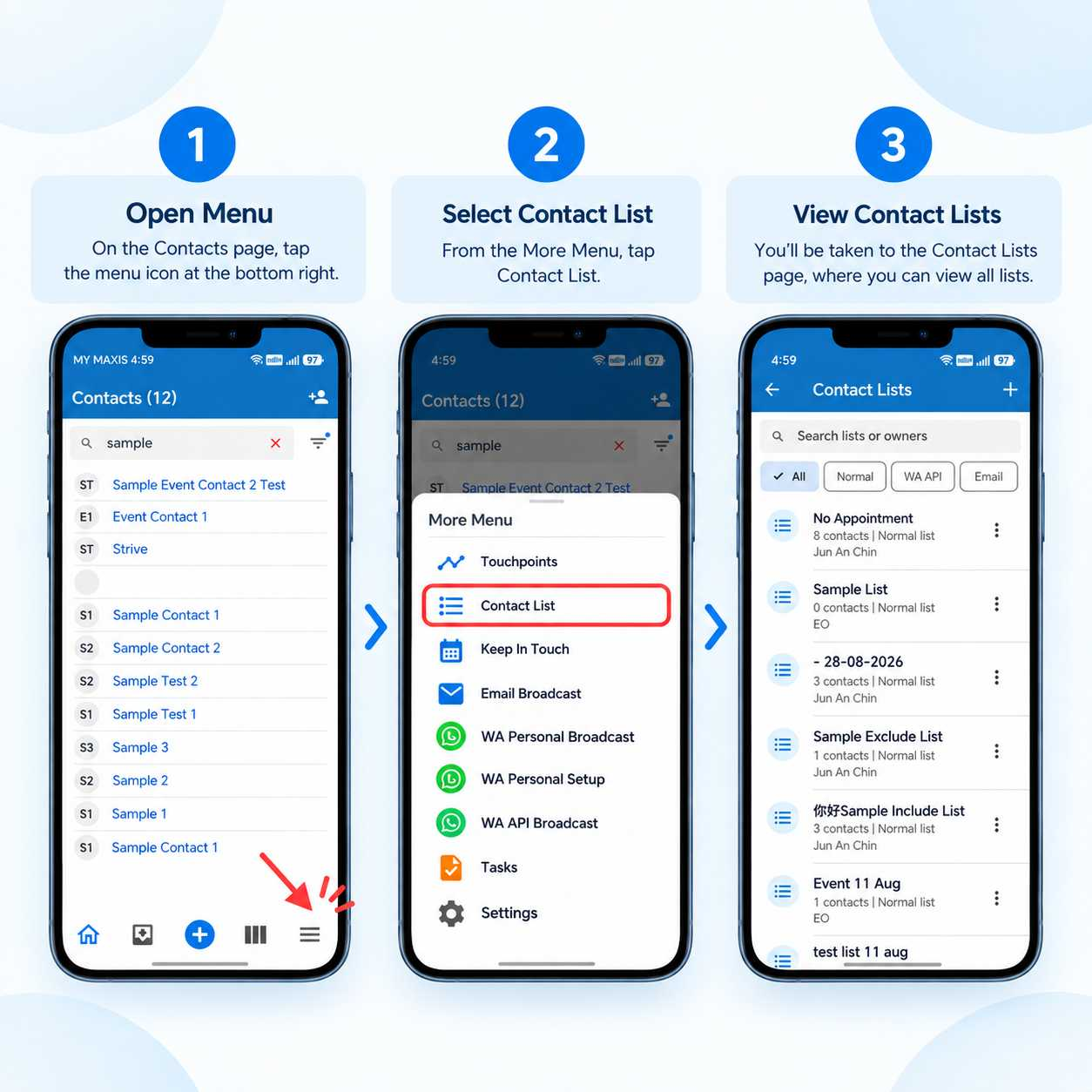
Open Strive GO.
Tap the Menu icon at the bottom right.
Select Contact List.
You’ll be taken to the Contact Lists page, where you can view all your available lists. ✅