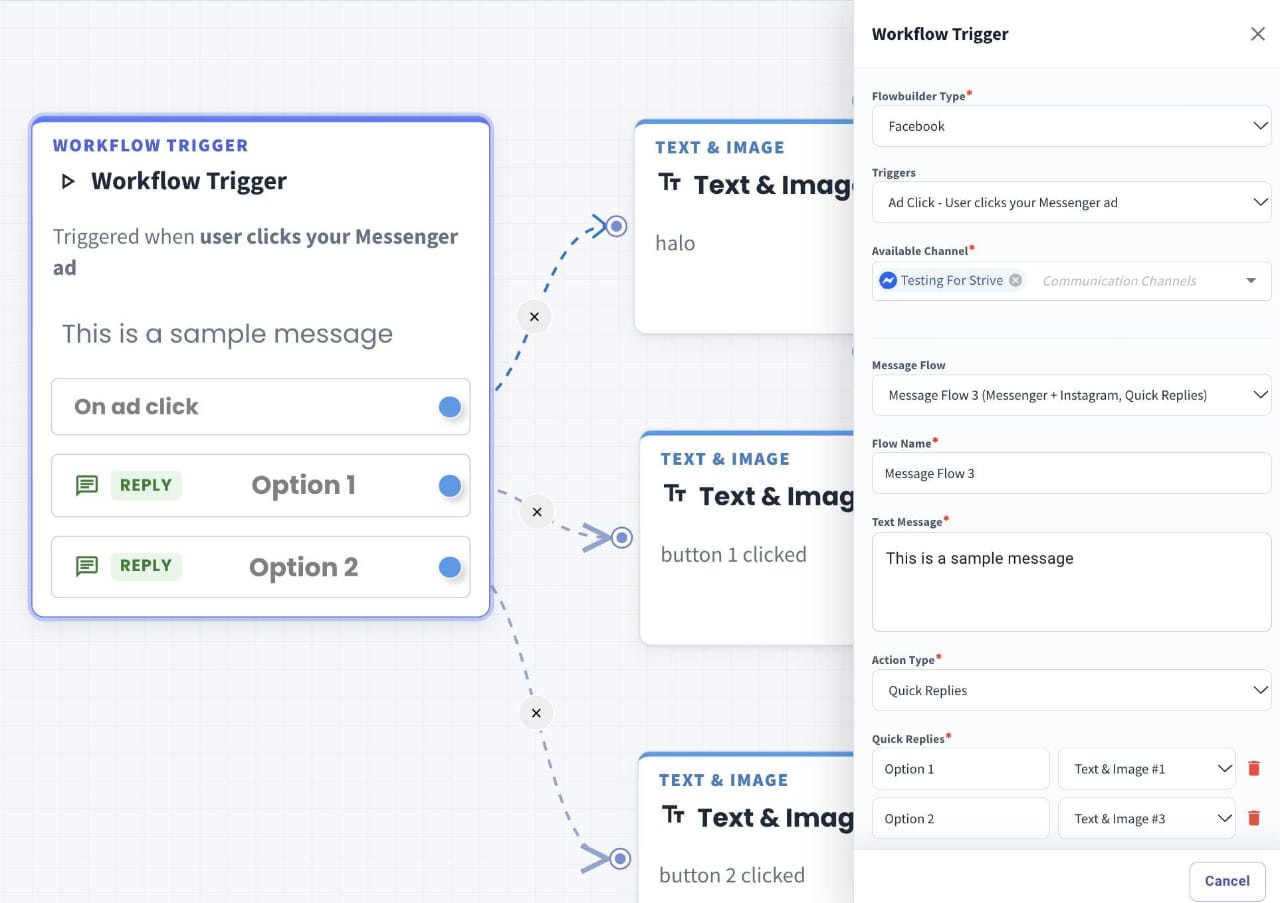
Clearer Button Routing for FB/IG Ad-Click Flows 🔗
What's New:
We've improved how Quick Reply button routing is displayed in FB/IG ad-click Workflow Triggers. You can now see each button's connection to its next step more clearly on the flow canvas.
What it means to you:
Review your ad-click flows with less guesswork. The clearer routing display makes it easier to check where each button leads and spot a button connected to the wrong step before using the flow.
How you can go about it:
Go to the Flow Module and select Facebook or Instagram as the Flowbuilder type.
Select Ad Click as the trigger.
Enter your text message and add your Quick Replies.
Drag the connection point beside each Quick Reply to the right to connect it to a new step.