Quick Reply for Send WA API Message Node ✨
What’s New:
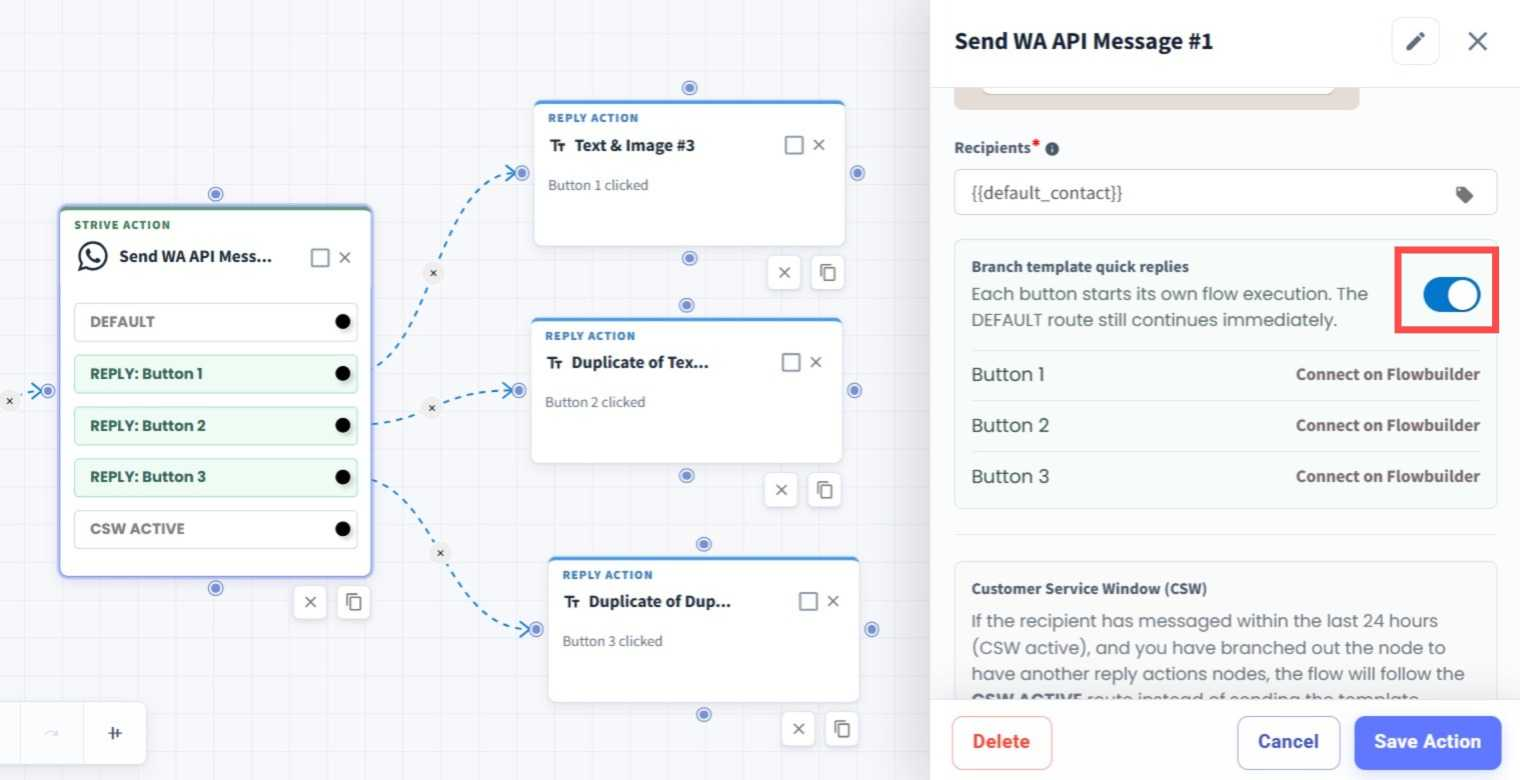
We’ve added a Quick Reply feature to the Send WA API Message node in Flowbuilder. You can now create follow-up paths directly from the buttons in your WA API Template. 💬
What it means to you:
When a customer clicks a template button, you can continue the follow-up directly within the same flow, without needing to create a separate Keyword Flow for each button. This makes your flows simpler and easier to manage. 🔗
How you can go about it:
Head to the Flows Module and create a new flow or edit an existing flow.
Add or edit the Send WA API Message node.
Select the approved WA API Template you want to use.
Turn on Branch template quick replies.
Connect each template button to the respective follow-up node in Flowbuilder.
Save your changes and you're ready to go. 🚀