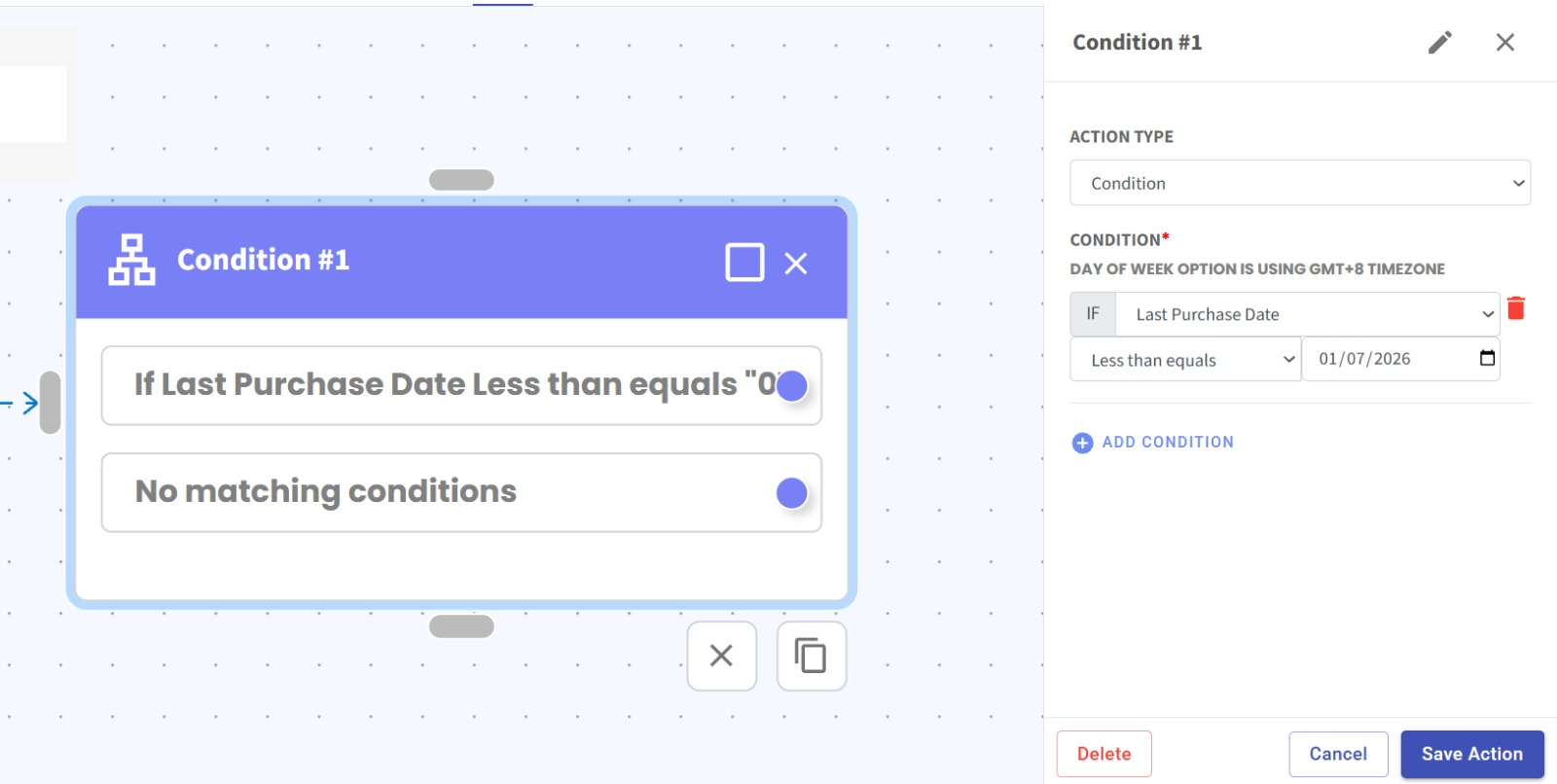
Flowbuilder Condition Now Supports Last Purchase Date 🛒⏱️
What's New:
Flowbuilder Condition now supports Last Purchase Date duration 🎉
What it means to you:
You can now build conditions based on how long it has been since a contact’s last purchase, allowing you to trigger more targeted automations based on customer activity ⚡
With this enhancement, you can:
✅ Check last purchase date in Flowbuilder Condition
✅ Set rules based on number of days since last purchase
✅ Trigger different flow paths based on purchase recency
✅ Build more advanced customer lifecycle automations 🚀
How you can go about it:
Go to Flowbuilder Module and create or edit a flow.
Add a Condition step in your flow.
Select Last Purchase Date as the condition field.
Set the duration rule (e.g. more than equals / less than equals X date).
Configure your flow actions based on the condition outcome.
Save and activate your flow 🎉