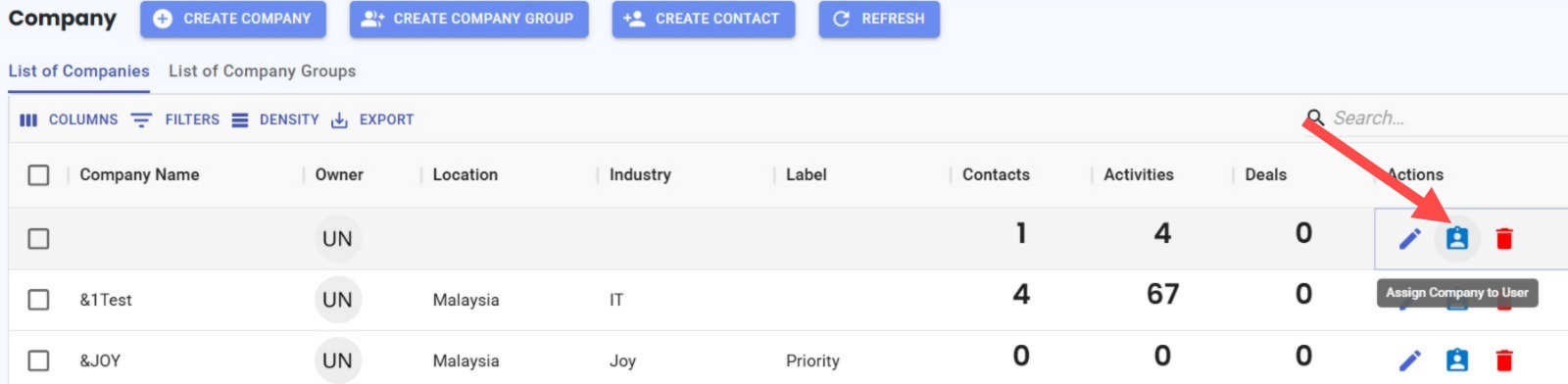
Assign Contact Owners in Company Module 🎯
What's New:
Super Admins and the current Company Owner can now assign or unassign contact owners directly from the Company Module. 👥
What it means to you:
This gives authorized users a faster way to manage contact ownership without leaving the Company Module. Easily assign contacts to the right team members or unassign them whenever needed. 🚀
How you can go about it:
Go to the Company Module.
Click on the blue user icon .
Select a user to assign as the contact owner, or choose Unassign to remove the current owner. ✔️
Note: Only Super Admins and the current Company Owner can assign or unassign contact owners.