Touchpoints Module Now Available in Strive GO ✨
What’s New:
We’ve added the Touchpoints Module to Strive GO, allowing you to manage customer interactions directly from the app. 📱
What it means to you:
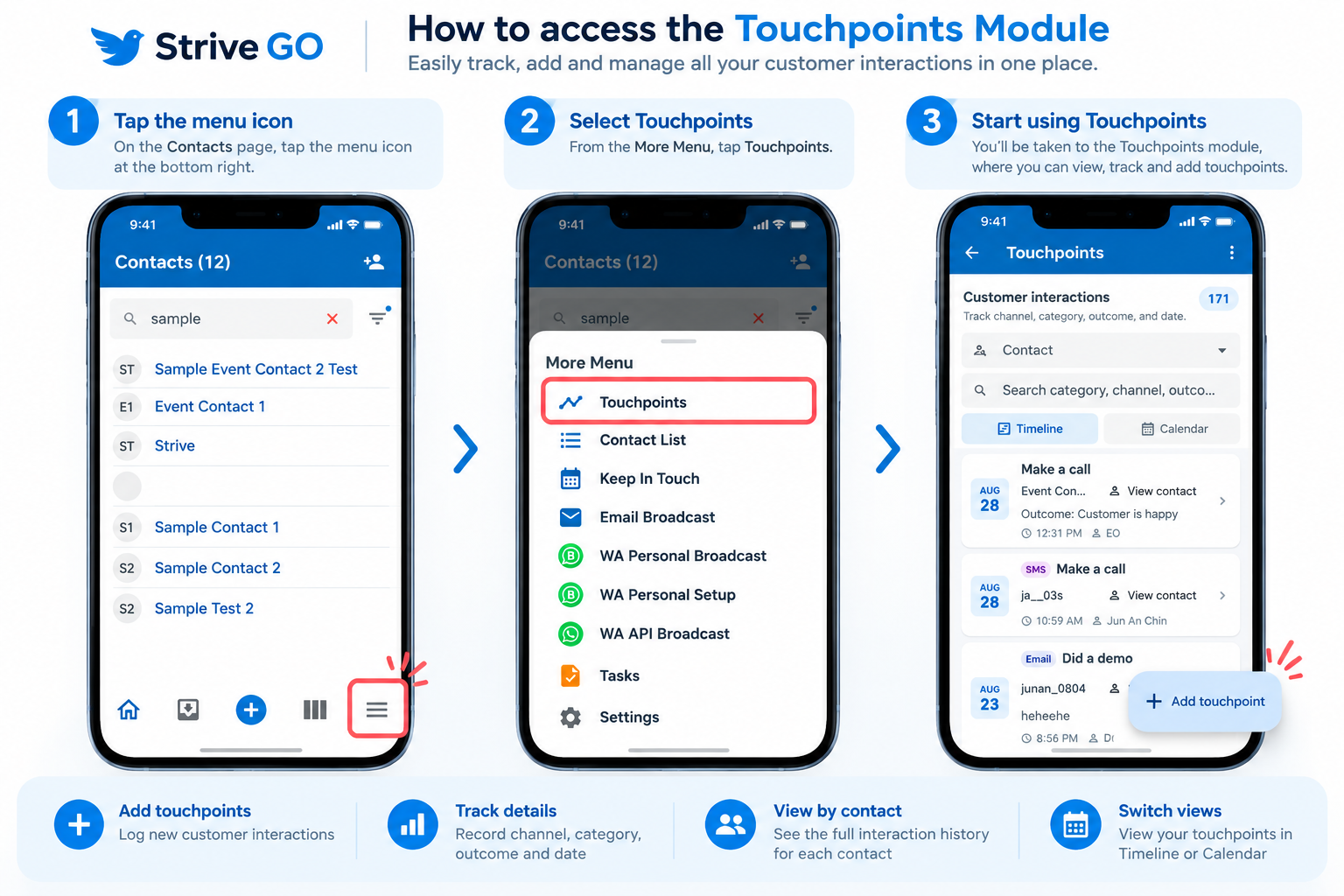
You can now add, view, and track customer touchpoints, including channel, category, outcome, and date. You can also review each contact’s interaction history and switch between Timeline and Calendar views. 📊
How you can go about it:
Make sure your Strive GO app is updated to the latest version.
Open Strive GO and tap the More Menu icon at the bottom right.
Select Touchpoints.
From there, you can view, search, filter, and add customer touchpoints. 🚀