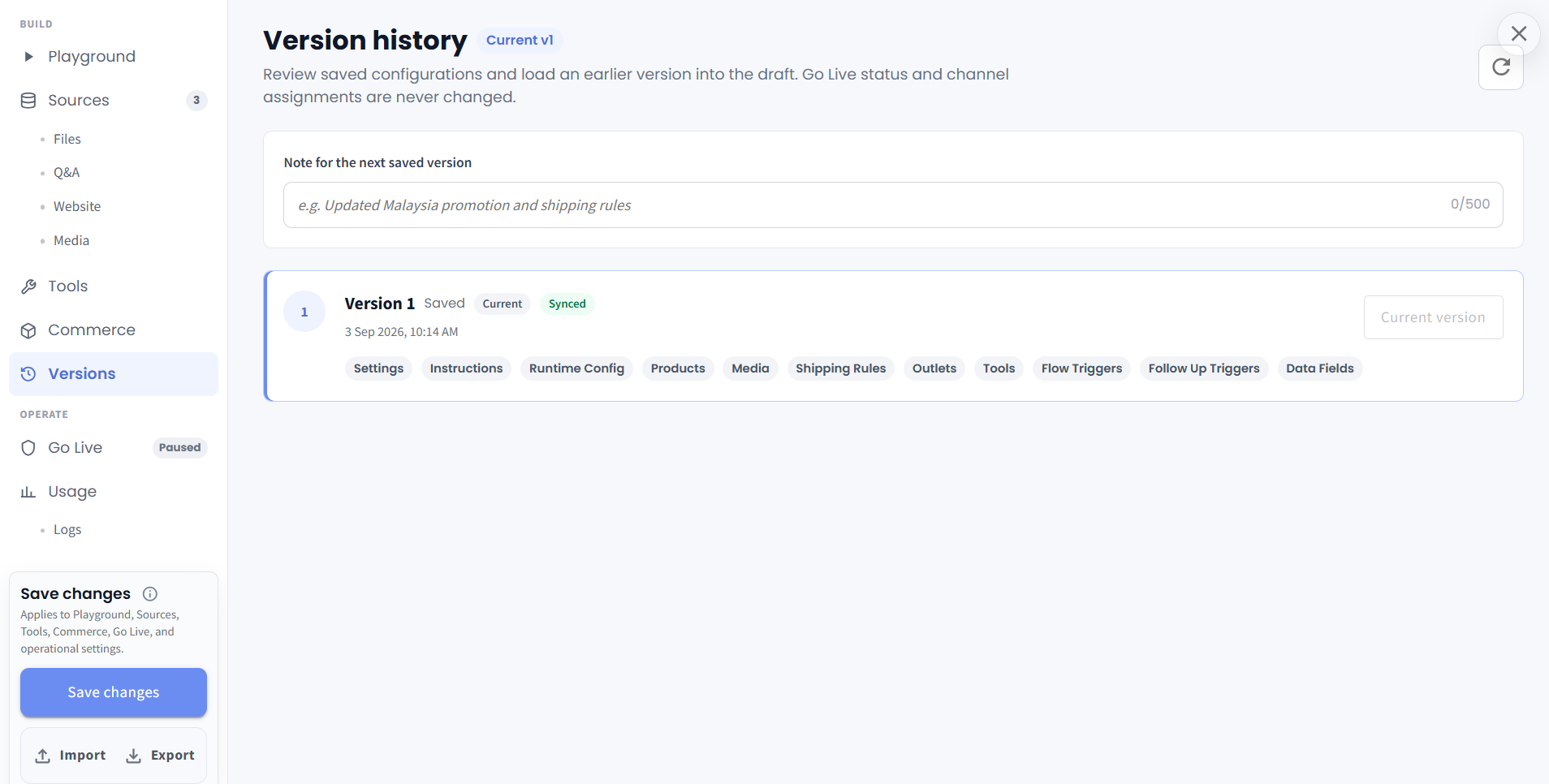
Version Control for AI Agents ✨
What’s New:
We’ve added Version History for AI Agents. Each time you save changes to an Agent, a new version can be recorded so you can review how the Agent configuration has evolved over time. 🕘
What it means to you:
You can now better trace which Agent configuration was used at different stages, making it easier to review changes, investigate behaviour, and understand the impact of future enhancements such as self-learning AI. 🔎
How you can go about it:
Head to the Agent Module and select your Agent.
Make the required changes to the Agent.
Add a note for the version if needed, then click Save changes.
Head to Versions to review the saved Version History.
You can refer back to earlier configurations whenever you need to trace or compare Agent changes. 🚀