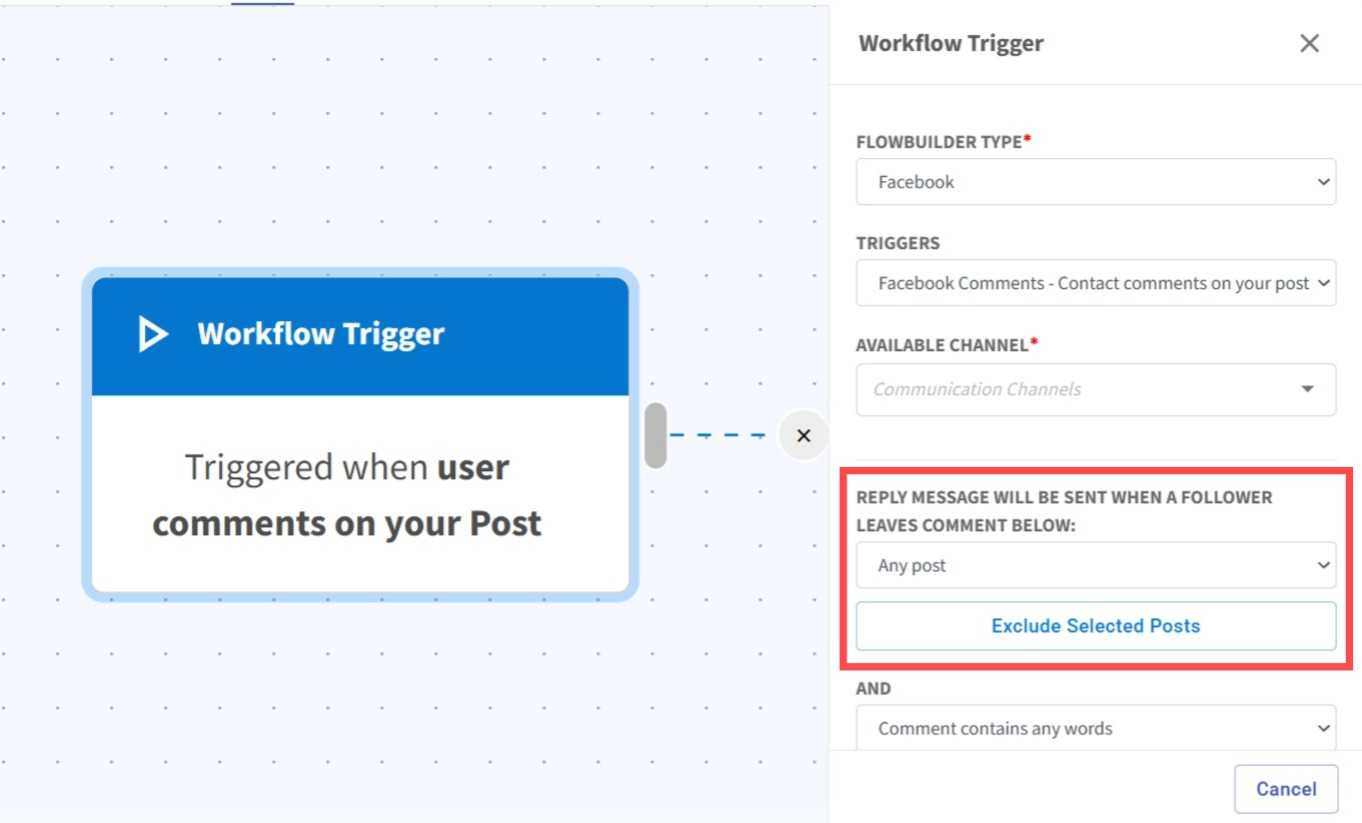
Exclude Specific Posts from FB/IG Comment Flow 🚀
What's New:
You can now apply the Facebook and Instagram comment flow to all posts at once, with the ability to exclude specific posts you don't want to include. ✨
What it means to you:
Save time by setting up your comment flow for multiple posts in one go, rather than selecting them one by one. This reduces manual effort and streamlines your workflow. 🎯⚡
How you can go about it:
1. Go to Flowbuilder Module.
2. Create or edit a flow.
3. Click on the first node (Workflow Trigger) and select FB/IG as flowbuilder type.
4. Select Comments as trigger type, then select any post and either exclude a specific post.