Exclude Tagged Contacts from Inbox Filters 🏷️
What's New:
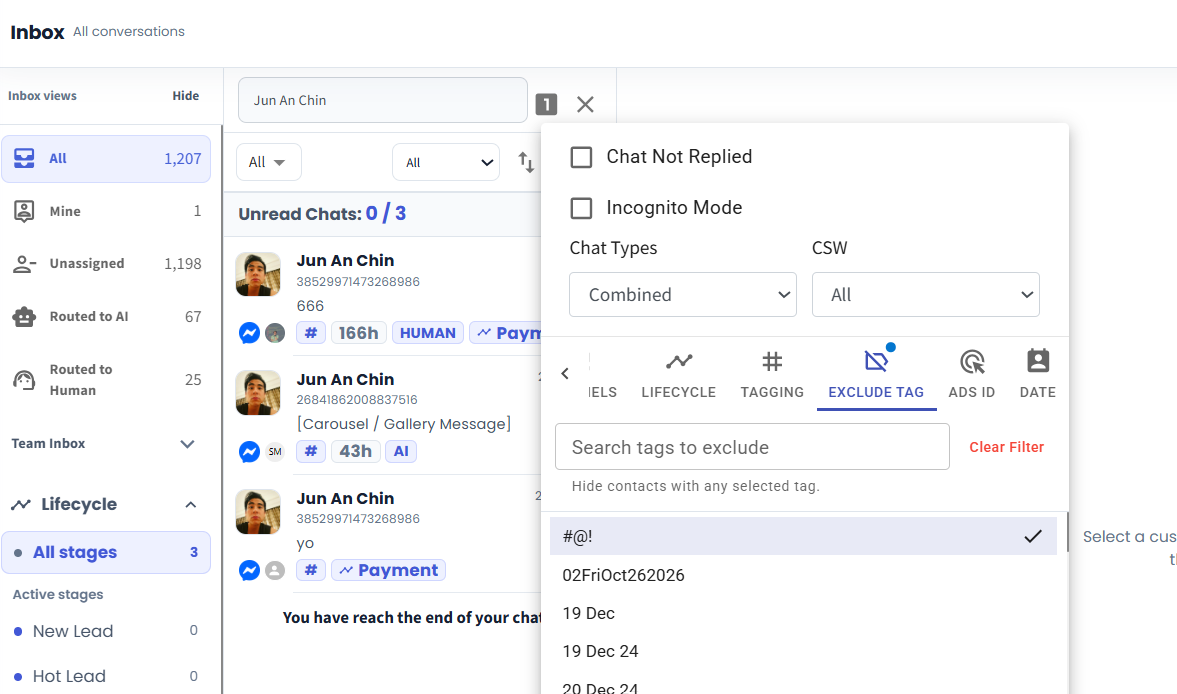
We've added Exclude Tag to the Inbox filters. You can now hide chats from contacts with selected tags, making it easier to narrow down your conversation list.
What it means to you:
Focus on the customer groups you need to follow up with, without manually checking unrelated chats. For example, exclude contacts tagged Completed while reviewing enquiries that still need attention.
How you can go about it:
Go to Inbox and open Filters.
Choose Exclude Tag and select the tags you want to leave out.
Apply the filter. Matching contacts' chats will be excluded from the filtered results.