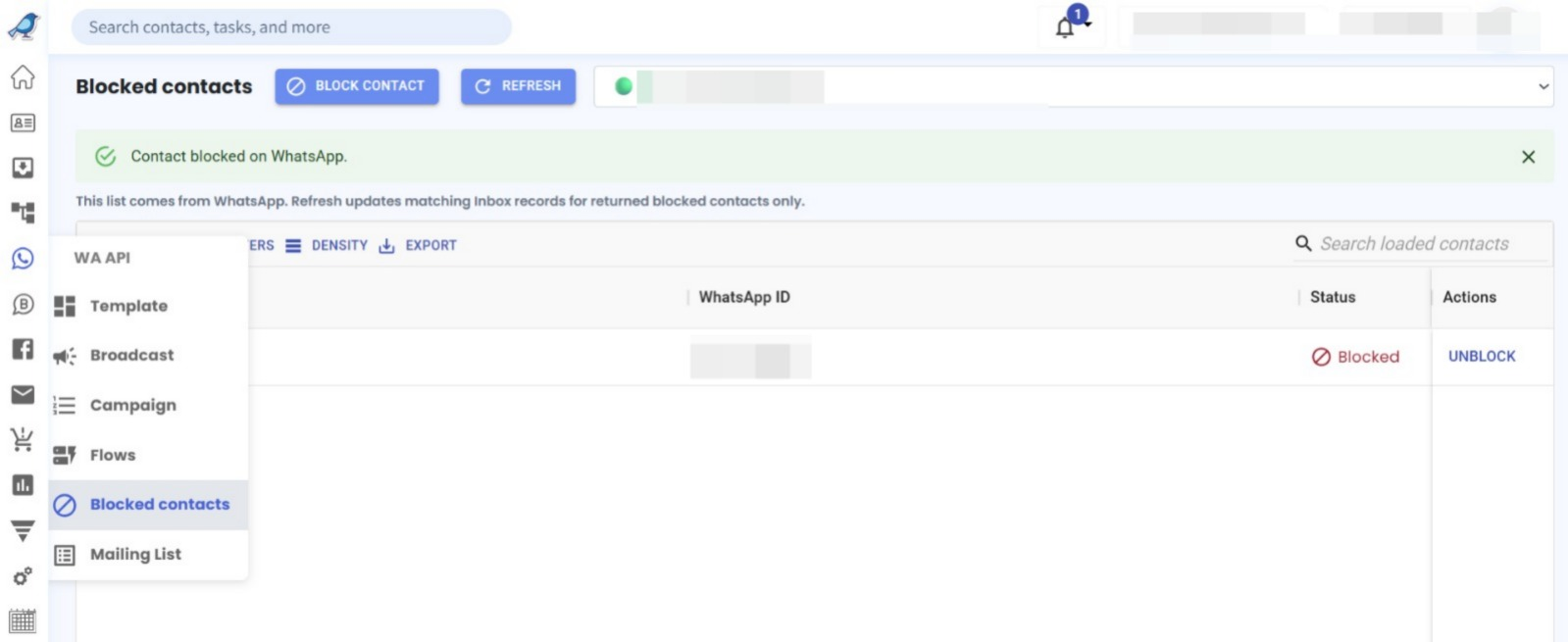
Blocked Contacts Module for WhatsApp API & Coexistence 🚫
What's New:
We've introduced a new Blocked Contacts module for WhatsApp API and Coexistence (Coex). You can now block contacts directly by entering their phone numbers and view your complete list of blocked contacts in one place. 🎉
What it means to you:
Managing unwanted contacts is now easier and more convenient. You can block spam contacts, keep track of blocked numbers, and easily refer back to your blocked contact list whenever needed. You can also unblock contacts directly from the list if necessary. 🛡️
How you can go about it:
Hover over WA API on the left sidebar.
Select Blocked Contacts.
Click Block Contact and enter the phone number you wish to block.
Confirm to block the contact.
To review your blocked contacts, revisit the Blocked Contacts module.
To unblock a contact, click Unblock next to the contact. ✨