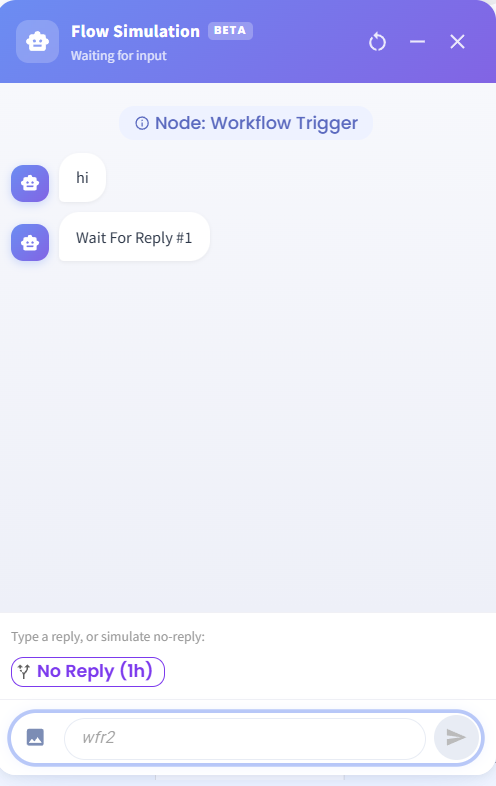
No Reply Trigger Option Added 🔔
What’s New:
You can now simulate what happens when a customer does not reply within a set time window. 🕒
What it means to you:
This helps you test waiting periods and time-based actions without needing an actual customer response. It makes your flow testing more realistic and thorough. 🚀
How you can go about it:
Open Flowbuilder
Select the No Reply action in your flow
Set the time window (for example, 1 hour)
Open the Simulation feature (bottom right of the flow)
Click No Reply to simulate the scenario and test your flow ✅