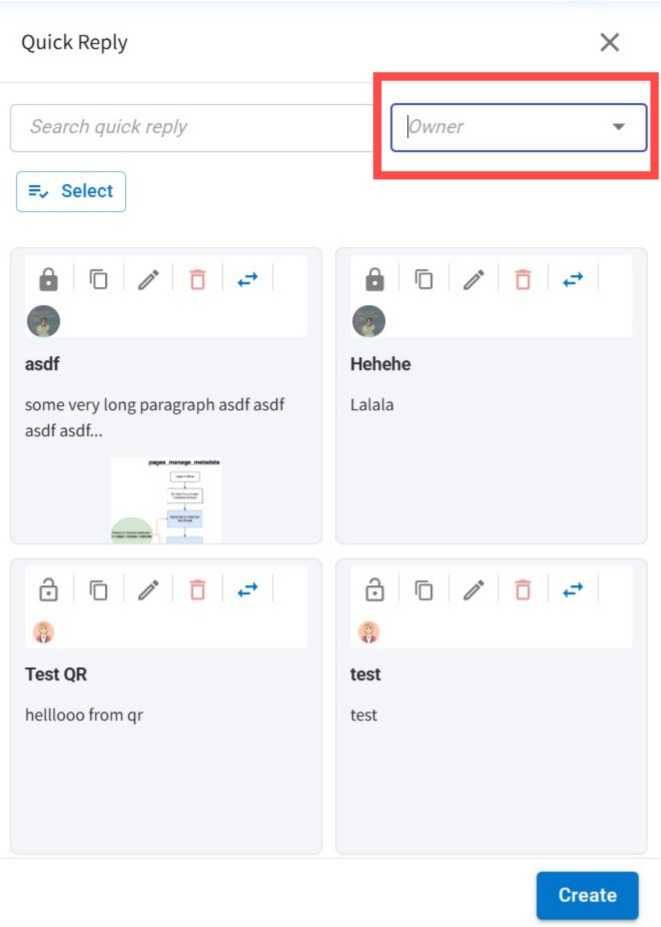
Quick Reply Filters Added 🔍
What's New:
We added a new filter option for Quick Replies. You can now filter based on ownership. 🎯
What it means to you:
Quickly find the Quick Replies you need by filtering them based on ownership. This makes it easier to manage your Quick Replies and keeps your workflow organized. ✅
How you can go about it:
1. Open any chat in the Inbox module.
2. Click the + icon at the bottom left and select Quick Reply.
3. Use the Quick Reply Owner filter to view the Quick Replies you need.
You can now find the right Quick Reply faster. 🚀