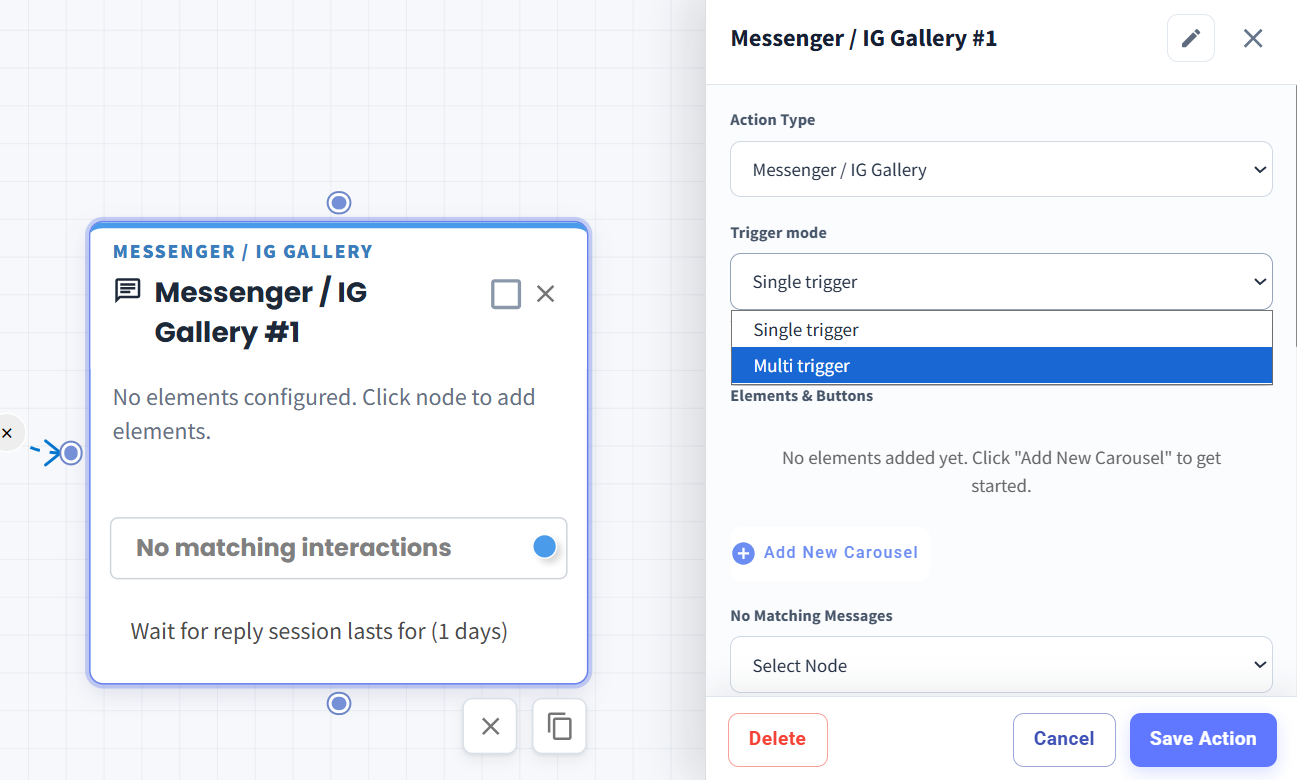
Messenger / IG Gallery Supports Multi Trigger 🔀
What's New:
Messenger / IG Gallery now supports Multi Trigger, allowing you to configure multiple triggers within the same Gallery node.
What it means to you:
With Multi Trigger, you can create different trigger interactions in a single Messenger / IG Gallery, giving you more flexibility when handling different user responses.
How you can go about it:
Go to the Flowbuilder Module and create or edit a flow.
Add or select a Messenger / IG Gallery node.
Under Trigger mode, select Multi trigger.
Configure your desired carousel elements and triggers.
Click Save Action to save the configuration.