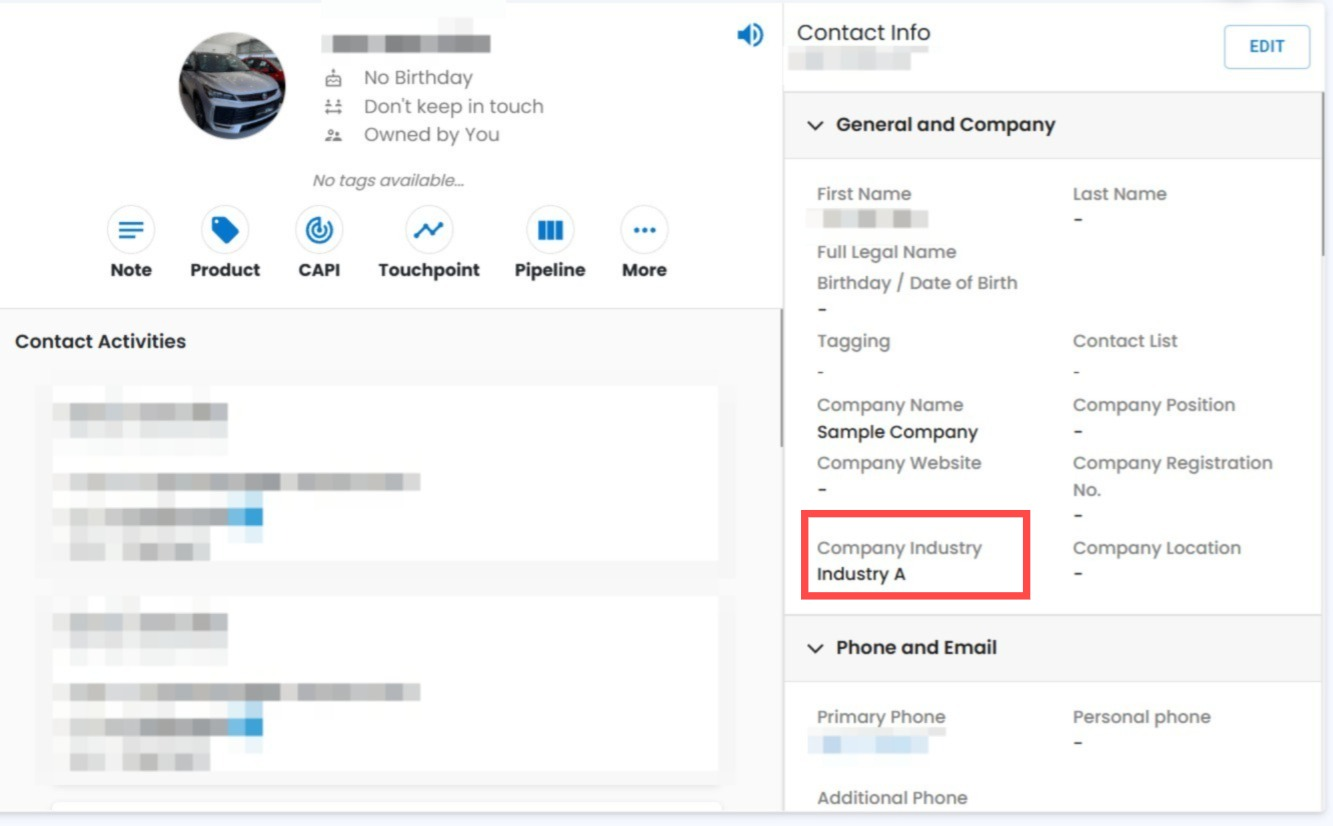
Company Industry Now Visible in Contact Info 🏢📇
What's New:
Company industry is now displayed in the Contact Info section within the Contact Module 🎉
What it means to you:
You can now easily view a contact’s company industry directly from their profile, helping you better understand and segment your customers. Kindly note that this field is managed from the Company Module only.
With this enhancement, you can:
✅ View company industry in Contact details
✅ Gain better context about your contacts
✅ Improve segmentation and targeting
✅ Centralize industry management in Company Module 🚀
How you can go about it:
Go to Contact Module.
Click on a contact profile..
View the Company Industry field on the right side.
To edit it, go to the Company Module and update the company details 🎉