Bulk Duplicate Flows Made Easy 🚀
What's New:
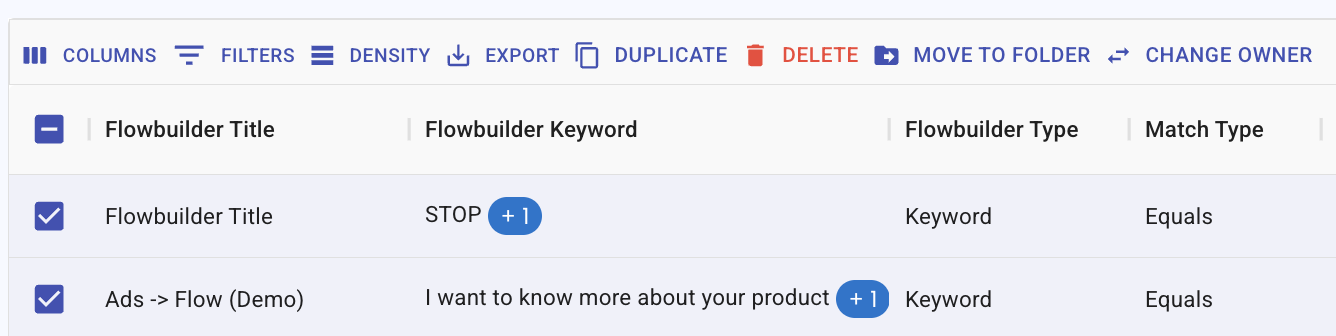
You can now duplicate multiple flows at once, instead of one by one.
What it means to you:
Save time and effort when setting up new flows for your team. ✨
How you can go about it:
1. Select the flows you want to duplicate.
2. Click the 'Duplicate' button.
3. Your new copies are ready to use. 🎉