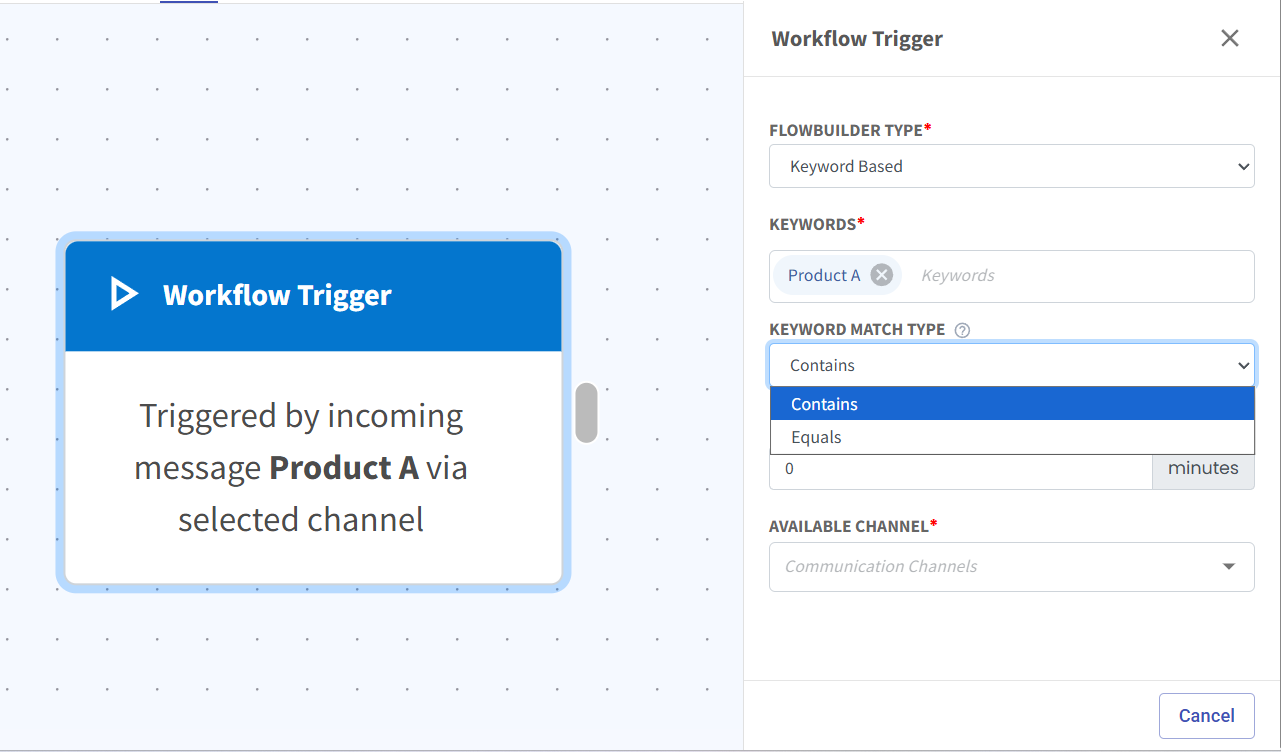
Flowbuilder Keyword Now Supports Contain 🚀
What's New:
Flowbuilder keyword now supports Contain instead of just equal only. This gives you more flexibility in how you trigger your flows. 🎯
What it means to you:
You can now trigger a flow when a client's reply contains your keyword, not just when it matches exactly. This makes it easier to catch relevant messages and start the right automation. ✅
Example:
If your keyword is “pricing”, the flow will now trigger when a user replies like:
“Can I know your pricing?”
“What’s the pricing for this?”
How you can go about it:
1. Go to Flowbuilder and click on the Workflow Trigger node.
2. Insert the keywords you want and choose Contains.
3. Select your channel and save the flow.
4. Your flow will work as expected. 🚀🎯