Filter Flow Analytics by Date, Version & Channel ✨
What’s New:
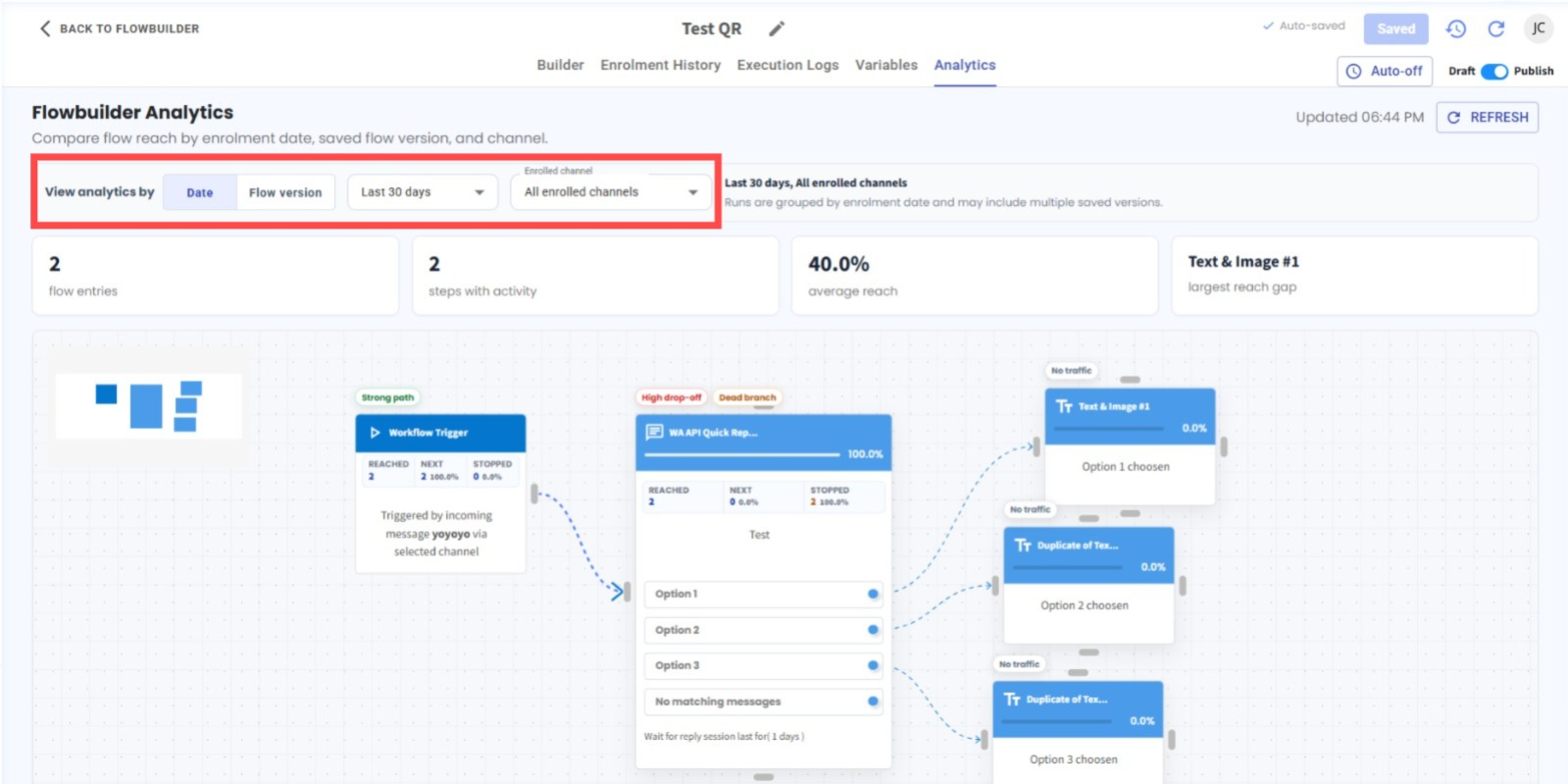
We’ve enhanced Flow Analytics with more filtering options. You can now view and compare your flow performance by Date or Flow Version, together with a Channel filter. 📊
What it means to you:
Get a clearer view of how your flow is performing across different periods, saved flow versions, and enrolled channels. This makes it easier to analyse results and identify performance differences. 🔍
How you can go about it:
Go to Flowbuilder Module.
Edit the flow you want to analyse.
Click Analytics at the top.
Choose to view analytics by either Date or Flow Version.
Select the Channel you want to filter by.
Review the filtered Flow Analytics results. ✅