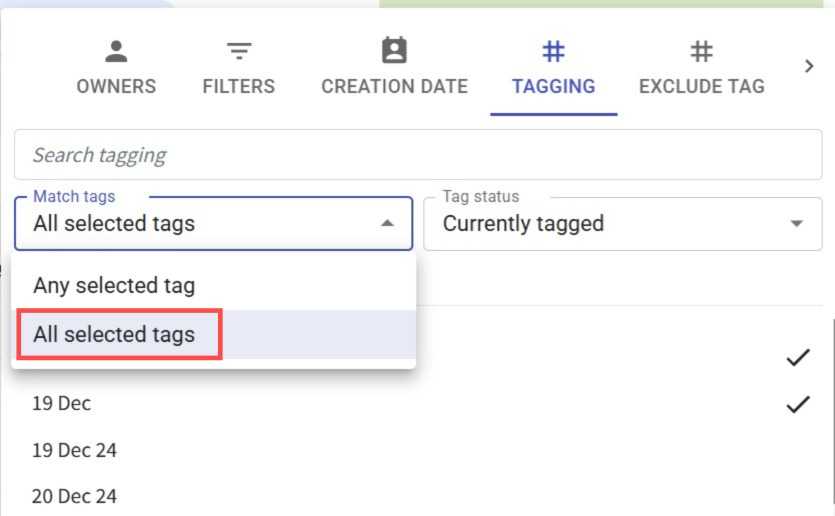
Filter Contacts by All Selected Tags 🎯
What's New:
You can now filter contacts that match all selected tags in the Contact Module. 🎯
What it means to you:
Easily find contacts with specific tag combinations and improve the accuracy of your contact segmentation. This makes it easier to manage targeted audiences for your workflows and campaigns. ✅
How you can go about it:
Go to the Contact Module.
Click Filter.
Select Tagging and choose your tags.
Click the Match tag dropdown.
Select All selected tags and click on Apply Filter to display contacts that contain all selected tags. 🚀