Filter Chats by Read or Unread in Inbox 🔍
What's New:
You can now filter your Inbox tickets by All, Read, or Unread to view conversations more clearly. This makes it easier to find chats that still need your attention without scrolling through the entire chat list. It is especially helpful when many conversations are happening at the same time. 👀💬
In Strive Web:
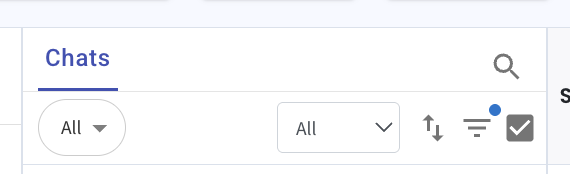
Click the All dropdown located in the center of the Inbox toolbar. Then select All, Read, or Unread to filter the chat list.
In Strive Go:
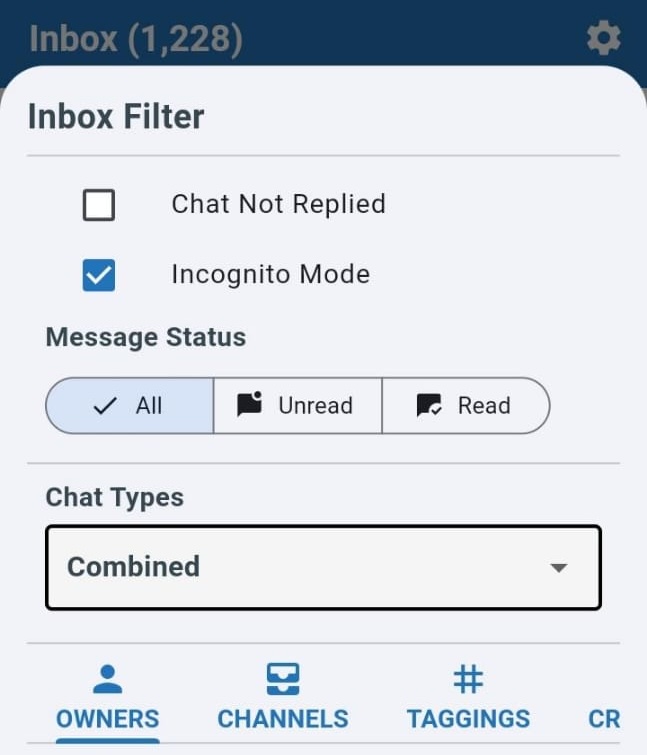
Click the three horizontal line icon, then choose the message status you want to filter. Tap outside the filter panel to close it after making your selection. 📱
Once selected, the chat list will update based on your chosen filter. This enhancement helps you quickly find unread conversations and respond to contacts faster. ⏱️✨
Strive Web View:
Strive Go View: