Request Contact Info for BSUID Contacts 📱
What's New:
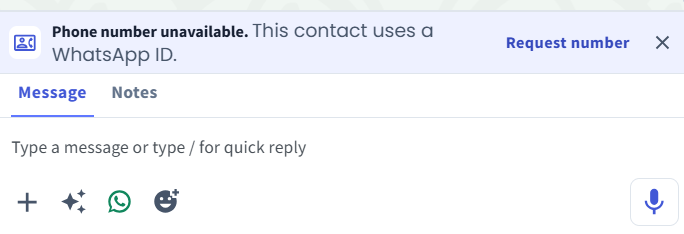
We’ve added a Request Contact Info feature for WhatsApp API and Coexistence. You can now request a contact’s phone number directly from their chat when the contact is using a BSUID, such as MY.123456789.
What it means to you:
If the contact is within the 24-hour CSW window, you can send a request for them to share their contact information. Once the contact chooses to share their info, their phone number will be automatically updated in Strive — no further action is required.
How you can go about it:
Go to the Inbox Module.
Open the chat of a BSUID contact.
Make sure the contact is within the 24-hour CSW window.
Click Request number.
Once the contact chooses to share their info, their phone number will be automatically updated.