🔄 Customize How New Messages Behave in Inbox
What's New :
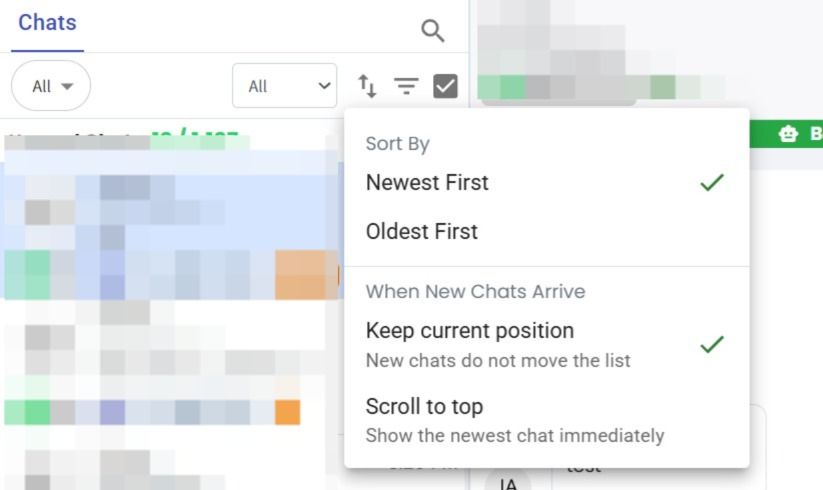
You can now choose how your Inbox Chat List behaves when new messages arrive. ✨
Select either:
Keep Current Position – New chats do not move the list.
Scroll to Top – Show the newest chat immediately.
What it means to you :
You now have more control over your Inbox experience based on how you work.
If you're reviewing older conversations, you can keep your current position without interruptions. If you prefer to always see the latest incoming messages, you can enable automatic scrolling to the top so new conversations are immediately visible. 🚀
How you can go about it :
Go to Inbox.
Open the Chat Sorting options.
Choose either Keep Current Position or Scroll to Top based on your preference.✅