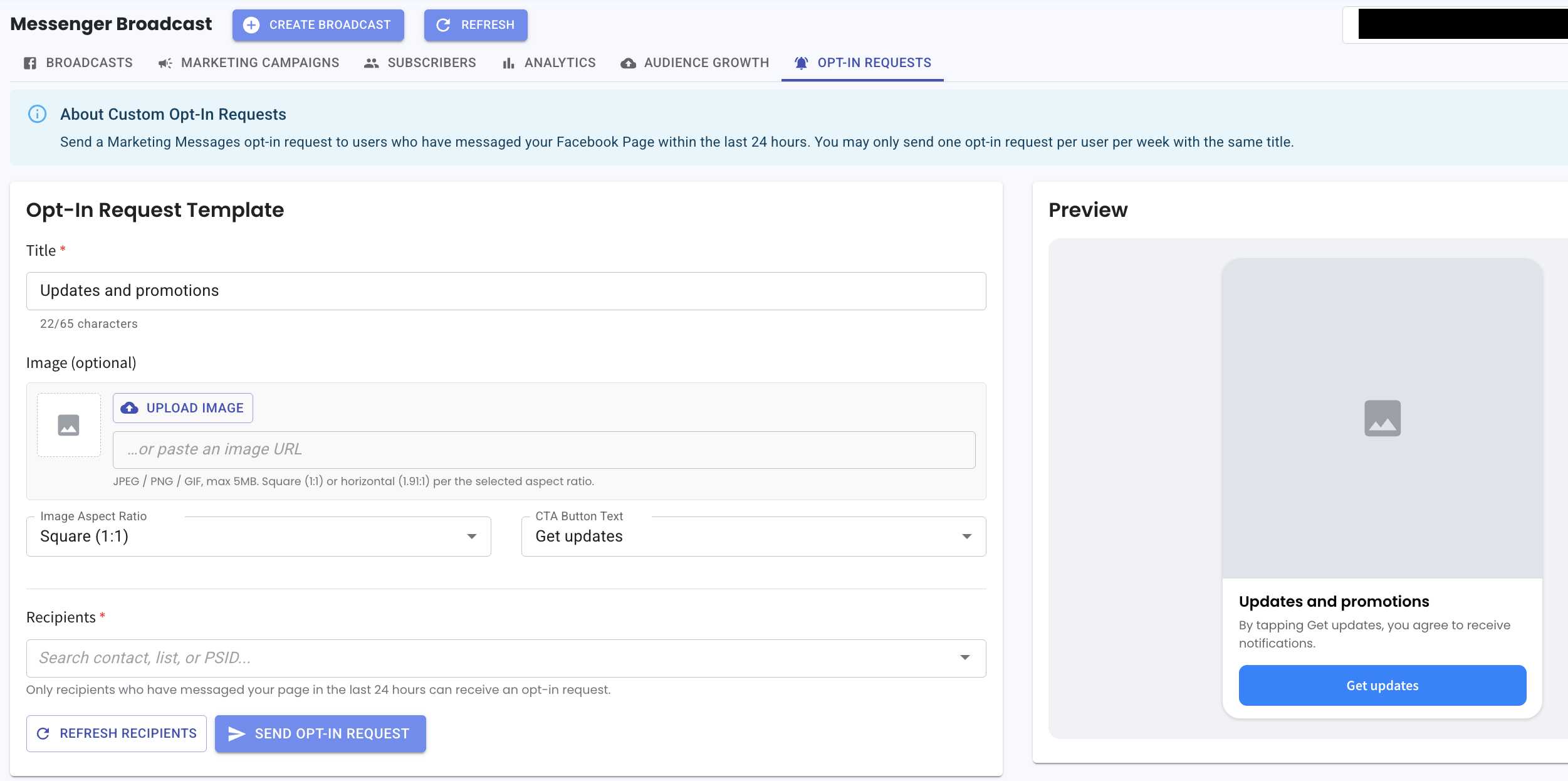
Messenger Broadcast Opt-In Requests 📩
What's New:
You can now send opt-in requests to your contacts to subscribe them to Messenger Broadcast 🎉
What it means to you:
Easily grow your broadcast audience by requesting users to opt in directly through Messenger, helping you build a more engaged subscriber base ✨
There is no cost to send opt-in requests.
How you can go about it:
Go to Messenger Broadcast.
Select Opt-In Requests.
Create your request (image is optional).
The content will be reflected based on the CTA button you choose.
Send your opt-in request to eligible contacts 🚀
Kindly note:
Only contacts who have messaged your page within the last 24 hours are eligible
You can only send one opt-in request per user per week with the same title