Copy Messenger Marketing Broadcast to Another Page 📄
What's New:
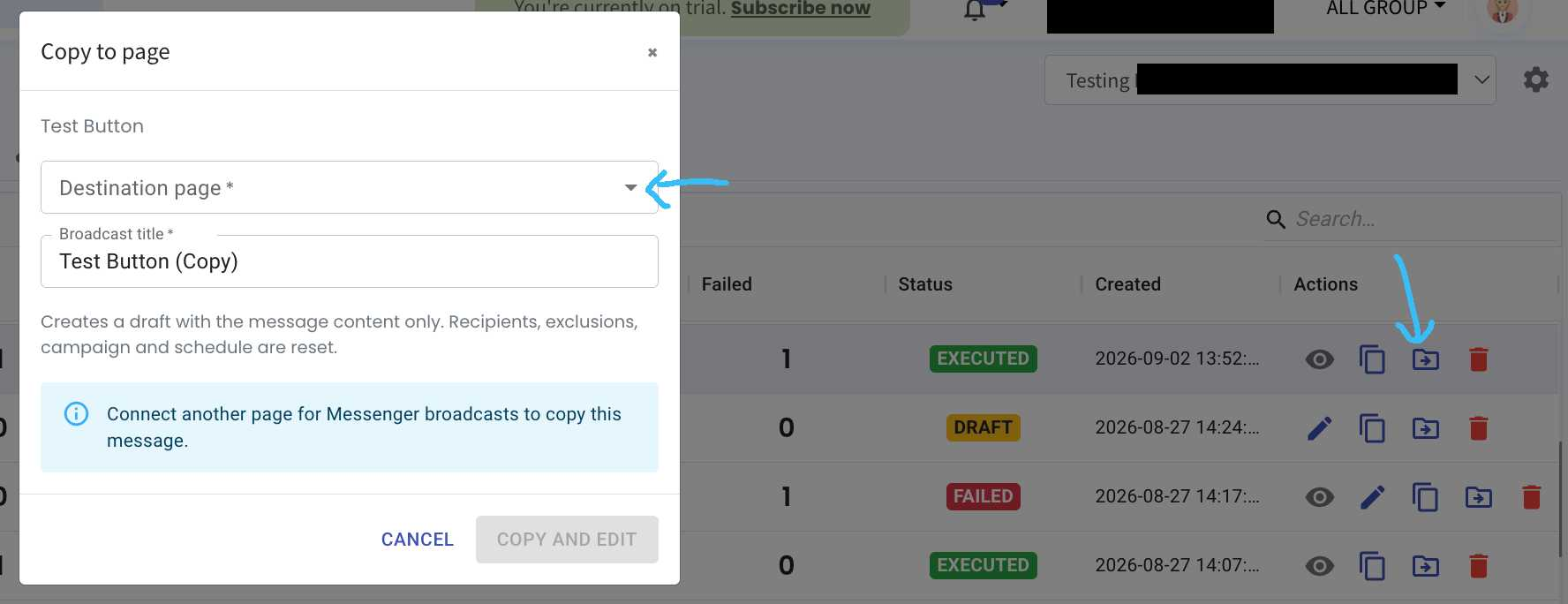
You can now copy a Messenger Marketing Broadcast to another connected page without creating the broadcast from scratch.
What it means to you:
This makes it easier to reuse the same broadcast message across different Messenger pages. When copying a broadcast, the message content will be copied, while the recipients, exclusions, campaign and schedule will be reset.
How you can go about it:
Go to the Messenger Marketing Broadcast Module.
Find the broadcast you want to copy and click the Copy to Page icon (file + icon).
Select the Destination Page.
Update the Broadcast Title if needed.
Click Copy and Edit to create the copied broadcast as a draft.