Choose Where Your AI Agent Responds ✨
What’s New:
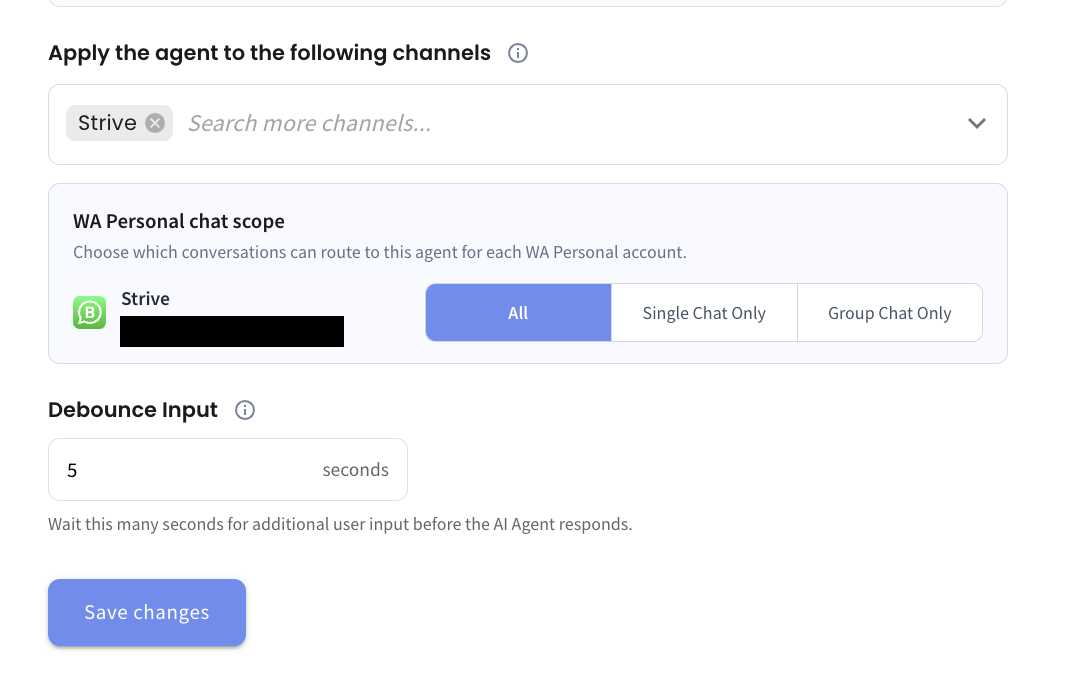
We’ve added a new Chat Scope setting for AI Agents. You can now choose between All, Single Chat Only, or Group Chat Only when applying your Agent to a channel. 💬
What it means to you:
You now have better control over which conversations can trigger your AI Agent. For example, selecting Single Chat Only ensures that your Agent responds only to individual conversations and will not be triggered when members send messages in group chats. 🎯
How you can go about it:
Head to the Agent Module and click Go Live.
Select the channel you want to apply the Agent to.
Choose All, Single Chat Only, or Group Chat Only under Chat Scope.
Click Save changes to apply the setting. 🚀