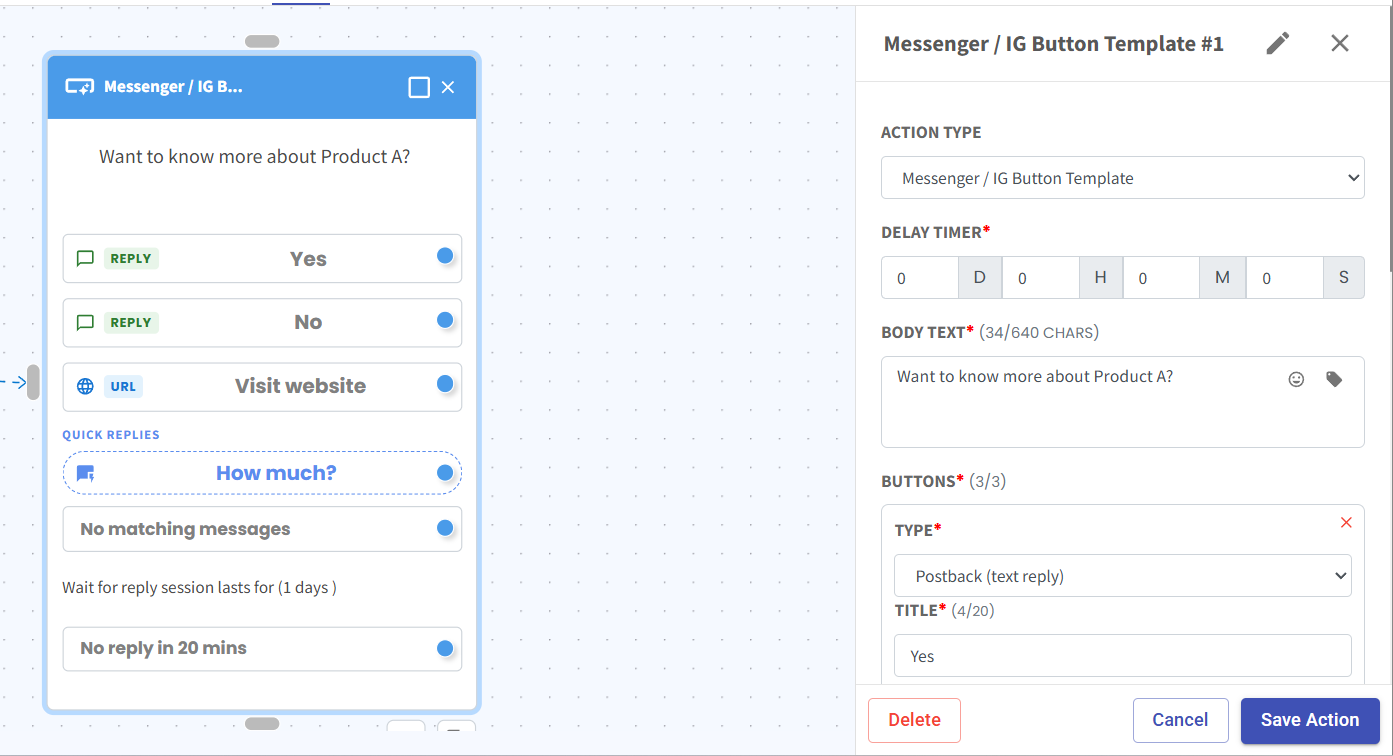
Enhanced Messenger/IG Button Template 💬📲
What's New:
We’ve enhanced the existing Messenger/IG Button Template in Flowbuilder to support more flexible interactive message options 🎉
What it means to you:
You can now create more engaging and structured conversations using improved button components, helping customers respond and take action more easily ✨
With this enhancement, you can:
✅ Add Text Buttons for quick response options
✅ Add Website URL Buttons to redirect users externally
✅ Include Quick Replies for faster engagement
✅ Build more interactive and guided conversation flows
✅ Improve overall user experience and conversion flow 🚀
How you can go about it:
Go to Flowbuilder.
Create or open your flow.
Select Messenger/IG Button Template.
Add your preferred elements:
Text Button
Website URL Button
Quick Replies
Save and publish your flow 🚀