Track Flow Performance with Flowbuilder Analytics 📊
What’s New:
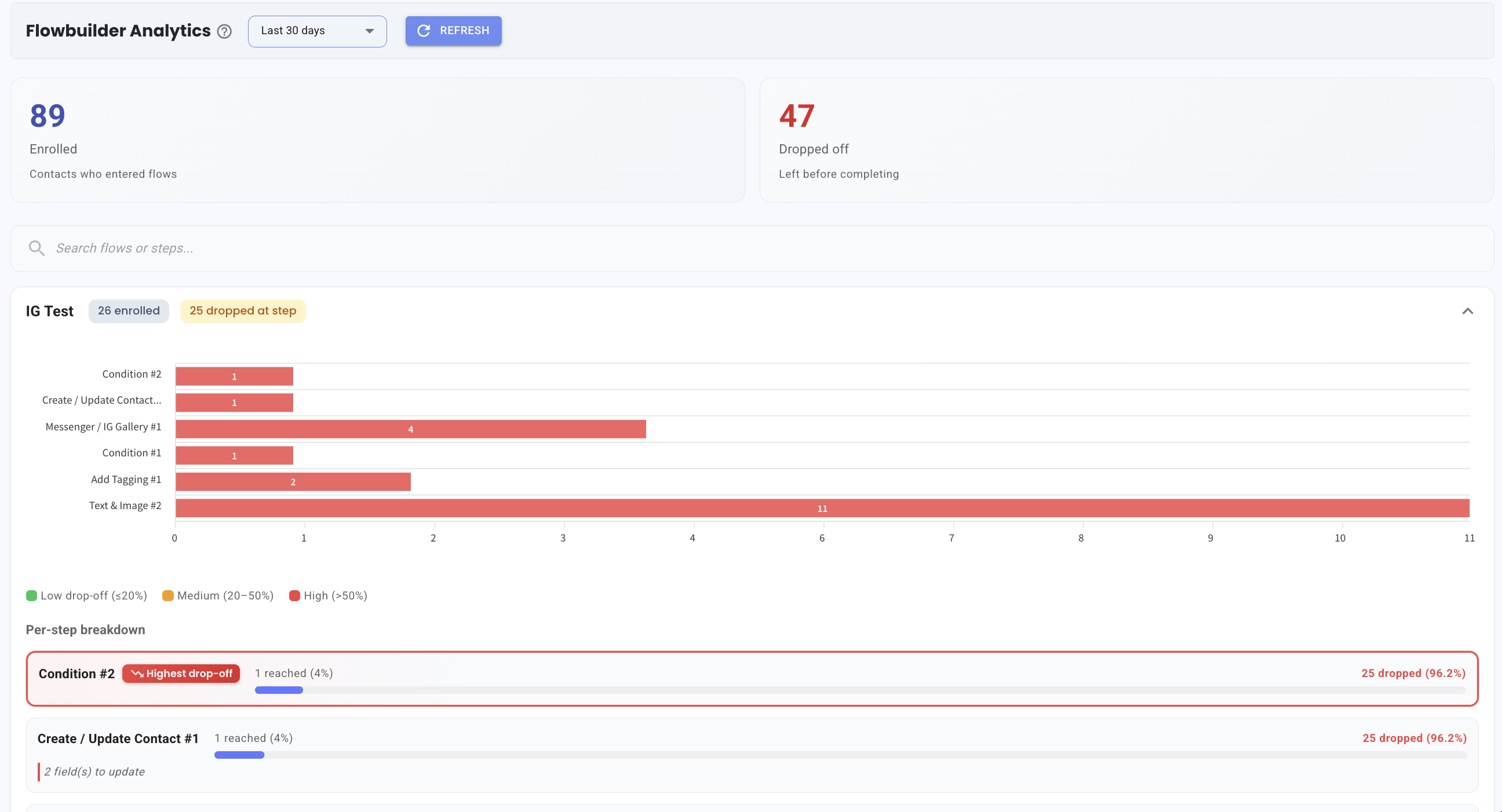
You can now view Flowbuilder Analytics to see how your flows are performing. 📈
This includes the number of contacts who entered the flow and how many dropped off at each step.
What it means to you:
You can quickly identify where contacts are dropping off in your flow. 👀
This helps you spot weak points and improve your flow to keep more contacts engaged.
How you can go about it:
Go to the Flowbuilder Analytics section
Select your preferred date range
Click the Flow dropdown to view more details
Scroll down to see the step by step breakdown
Identify which step has the highest drop off
This gives you a clear view of how your flows are performing and where improvements can be made.