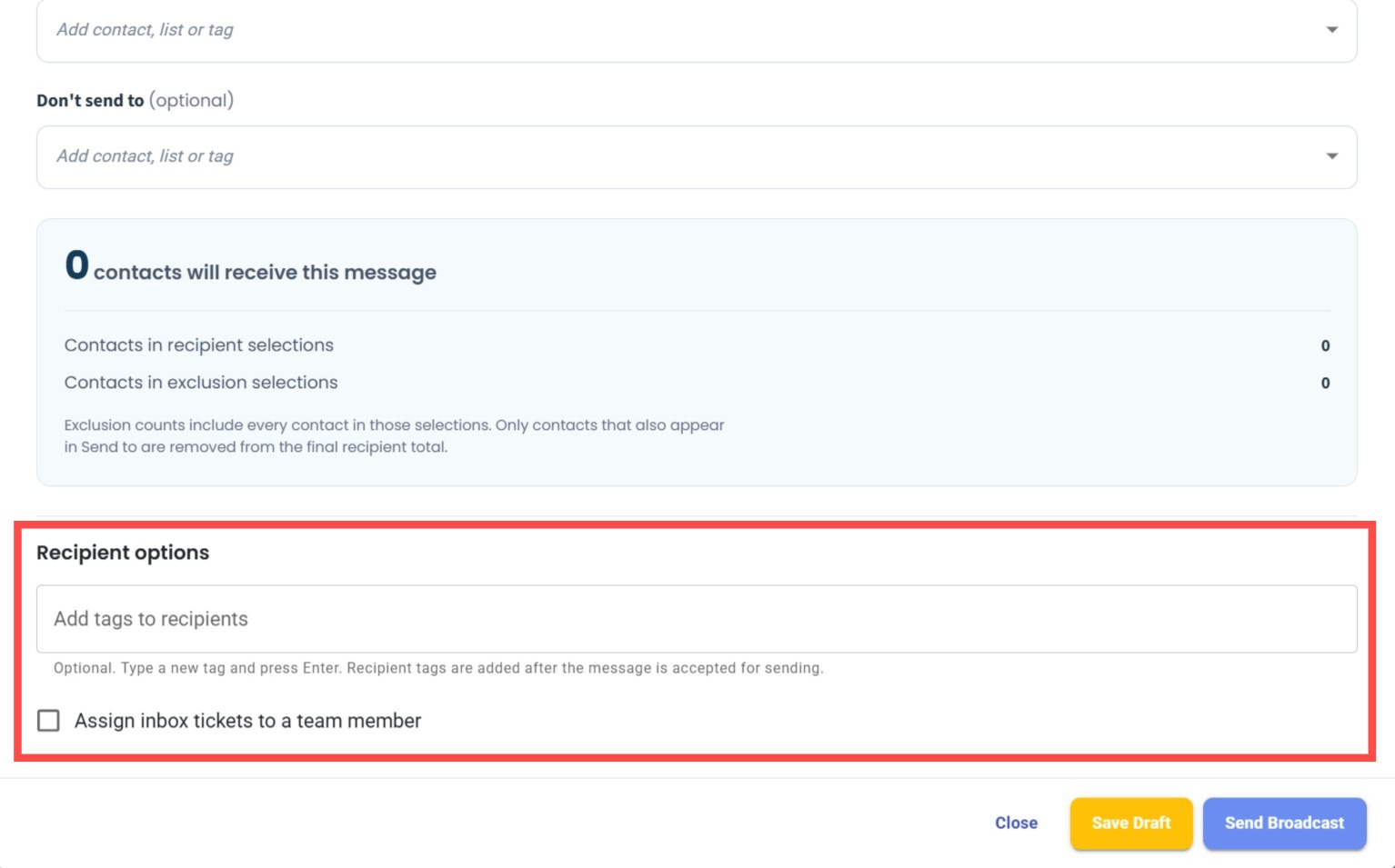
New Recipient Options in WA API Broadcast 🏷️
What's New:
We've added two new recipient options to WA API Broadcast: Add Tags to Recipients and Assign Inbox Tickets to a Team Member. 🎉
What it means to you:
You can now automatically add tags to recipients after the broadcast message is accepted for sending and assign Inbox tickets to a team member directly through the broadcast settings. This makes it easier to organise contacts and manage customer conversations without additional manual steps. 🚀
How you can go about it:
Go to the WA API Broadcast module and create or edit a broadcast.
Configure your recipients under the recipient selection section.
Under Recipient options, you can:
Enter a tag under Add tags to recipients and press Enter to add it.
Tick Assign inbox tickets to a team member to enable ticket assignment.
Complete your broadcast settings and send the broadcast. ✨