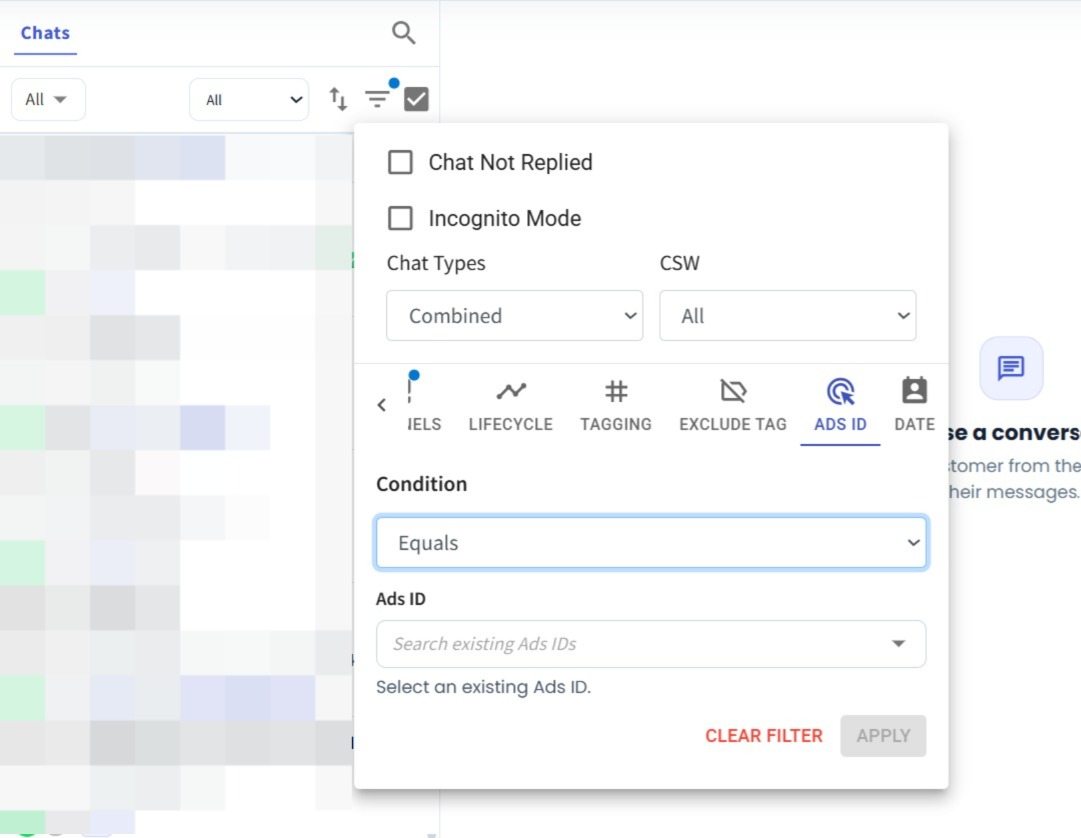
Ads ID Filter for Inbox, Contact & Segment 🎯
What's New:
You can now filter contacts and conversations by Ads ID in the Inbox, Contact, and Segment Modules.
What it means to you:
This makes it easier to identify and manage contacts or conversations that are associated with a specific Ads ID.
How you can go about it:
Go to the Inbox Module.
Click Filter.
Select Ads ID.
Choose the condition Equals or Contains.
Enter the Ads ID.
Click Apply Filter.
You can now quickly narrow down your results based on the Ads ID you are looking for.