Duplicate Keyword Detection in Flowbuilder 🎯
What's New:
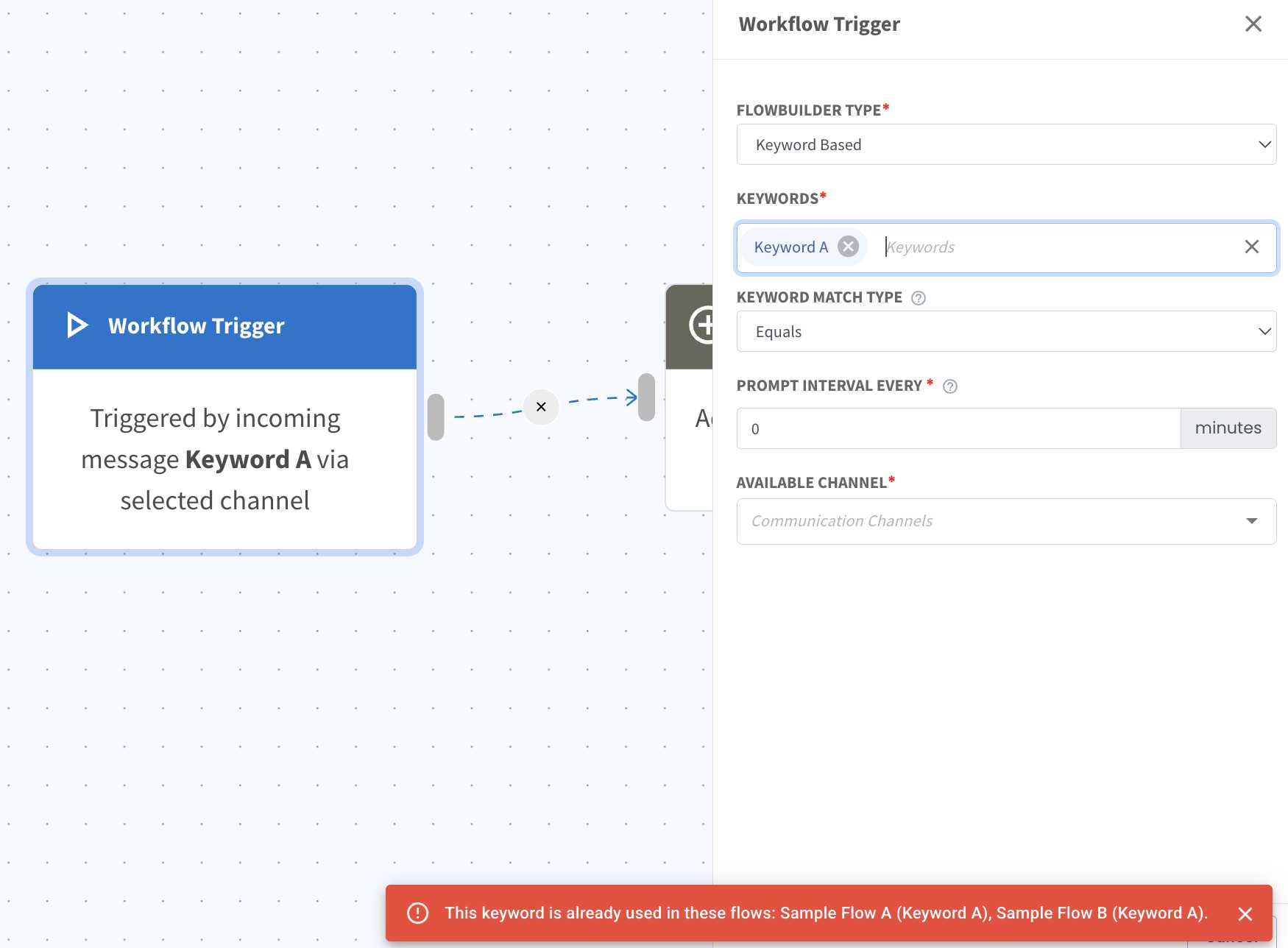
We’ve added a notification that appears when you enter a keyword that is already being used in another flow. The notification will show which flow(s) are using the same keyword 🎉
What it means to you:
You can now identify duplicate keywords more easily and avoid unintended conflicts between flows. This helps keep your automation organized and reduces setup errors 👍
With this enhancement, you can:
✅ Detect duplicate keywords while configuring flows
✅ View which flow(s) are using the same keyword
✅ Prevent accidental keyword conflicts
✅ Manage Flowbuilder keywords more efficiently 🚀
How you can go about it:
Head to Flowbuilder Module and create or edit a flow.
Click on the first node (Workflow Trigger) and select keyword based as trigger type.
Insert the keywords you want. If the keyword is already used in another flow, a notification will appear at the bottom right.
Review the flow name(s) shown in the notification.
Decide whether to keep the keyword or update it to avoid conflicts 🎯