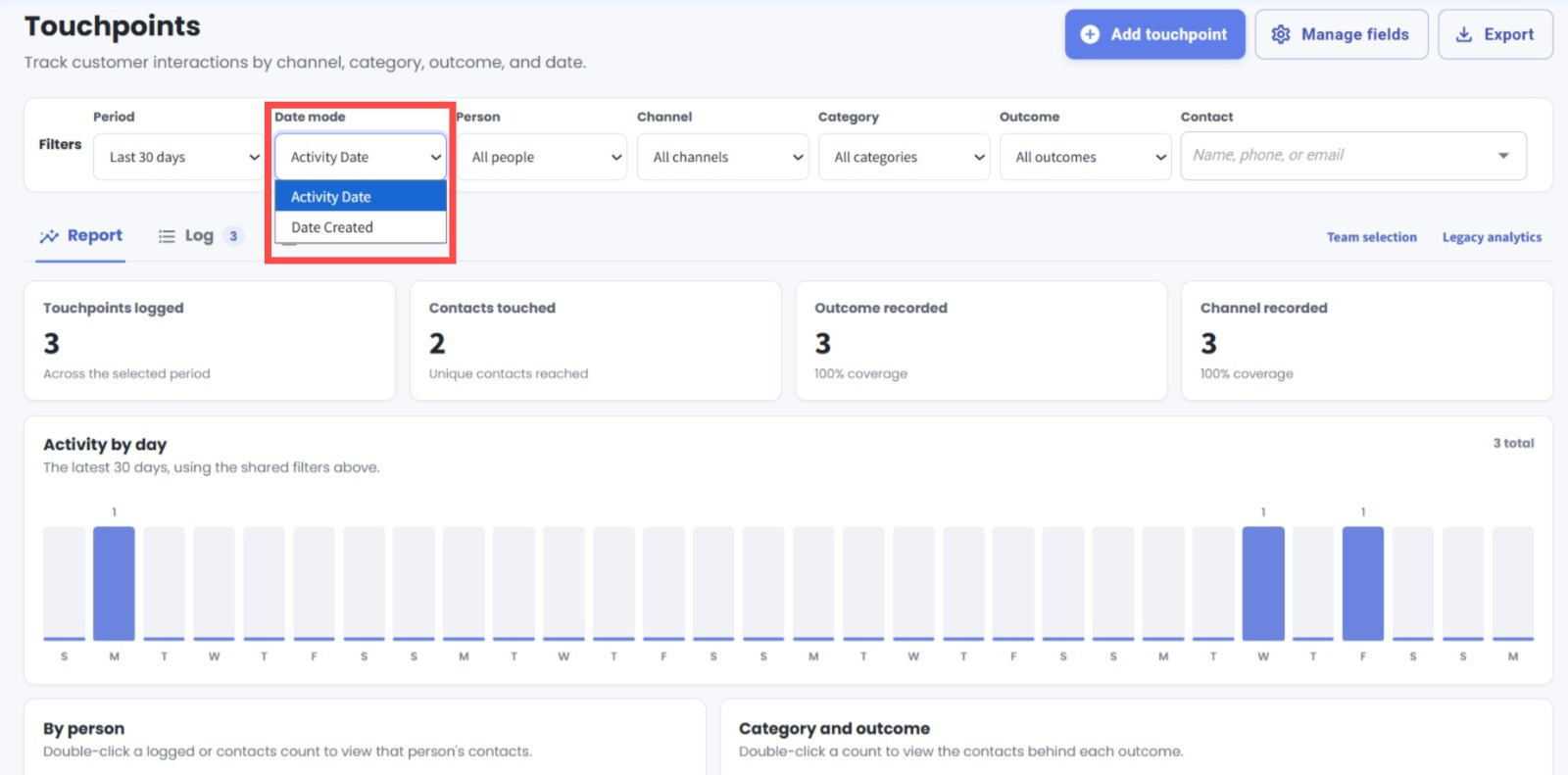
New Activity Date Filter in Touchpoints 📅
What's New:
We've added a new Activity Date option to the Date Mode filter in the Touchpoints Module. You can now filter touchpoints based on the Date & Time set for each touchpoint, in addition to the date it was created. ✨
What it means to you:
This gives you more flexibility when tracking customer interactions. You can view touchpoints based on when the activity actually took place, rather than only when the record was created, making it easier to track activities within your desired period. 🎯
How you can go about it:
Go to the Touchpoints Module.
Under Filters, find the Date Mode dropdown.
Select Activity Date to filter by the Date & Time set for each touchpoint, or select Date Created to filter by when the touchpoint was created.
Set your desired period to view the relevant touchpoints. 🚀