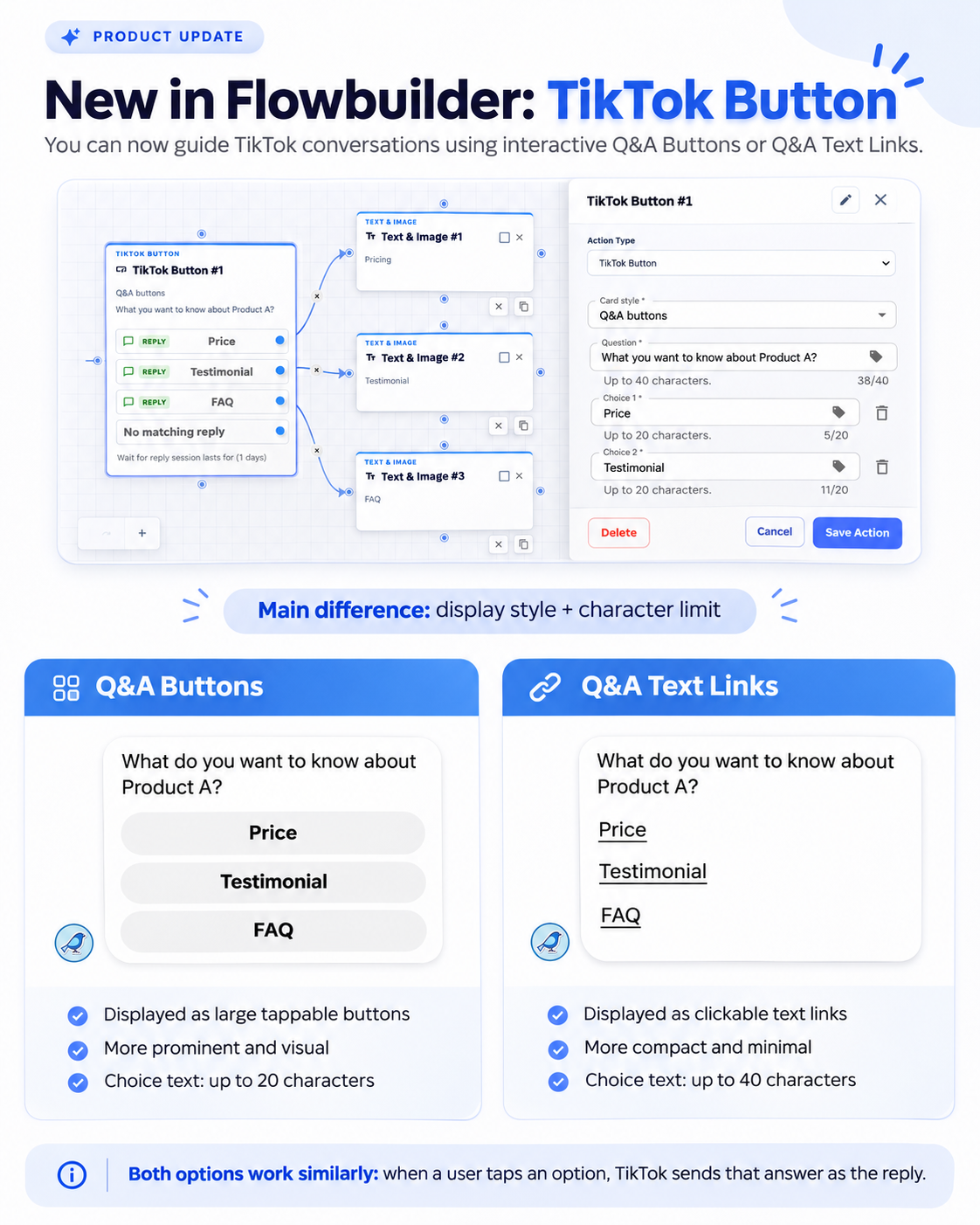
TikTok Button Node in Flowbuilder 🎵
What's New:
We’ve added a new TikTok Button node to Flowbuilder, allowing you to guide TikTok conversations with interactive Q&A Buttons or Q&A Text Links.
What it means to you:
You can now create more interactive TikTok conversations by giving users predefined options to choose from.
Q&A Buttons – Display choices as large, tappable buttons. Each choice supports up to 20 characters.
Q&A Text Links – Display choices as clickable text links. Each choice supports up to 40 characters.
When a user taps a choice, TikTok sends the selected answer as their reply, allowing the conversation to continue based on their selection.
How you can go about it:
Go to the Flowbuilder Module.
Create or edit a flow.
Add the TikTok Button node.
Select the Card Style:
Q&A Buttons
Q&A Text Links
Enter your question and choices.
Connect each choice to the next node in your flow.
Save the flow.
Note: The TikTok Button node can only be used for the TikTok channel.