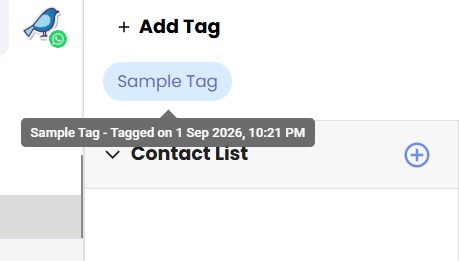
Tag Added Date on Hover 🏷️
What's New:
You can now see when a tag was added by simply hovering over it. This feature makes it easier to track the history of your tags at a glance. ✔️
What it means to you:
Understand the context of each tag and manage your records more effectively. Save time by getting all the details without extra clicks. ⏱️📈
How you can go about it:
1. Hover your mouse over a tag in Inbox Module or Contact Module.
2. A tooltip will appear showing the exact date and time the tag was added.
3. Move your mouse away to close the tooltip.
That's it – no further steps needed! 🎉