Add Touchpoint Node 📝
What's New:
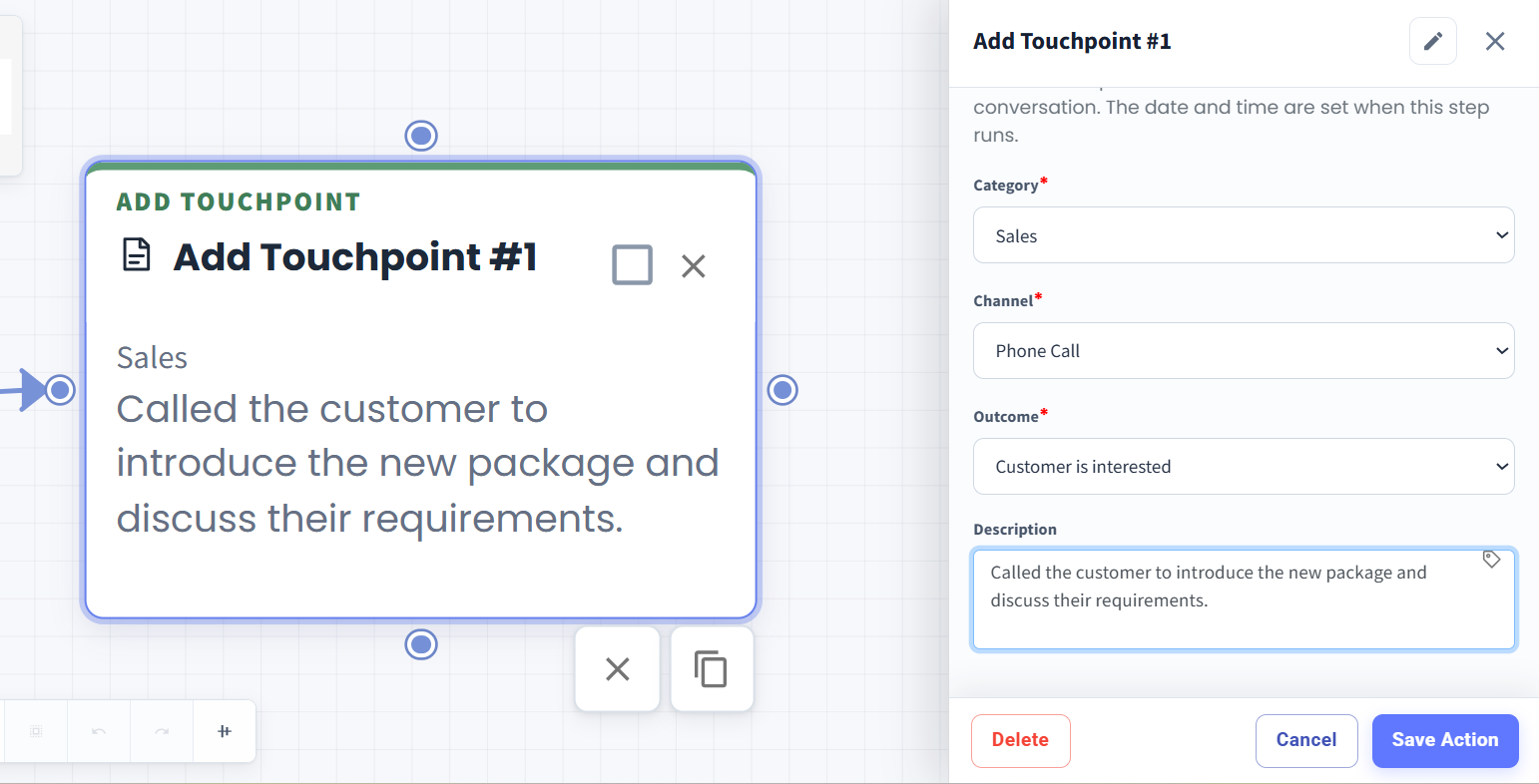
We've added a new Add Touchpoint node to the Flow Module.
You can now use this node to automatically add a touchpoint to a contact when the flow runs. Configure the touchpoint by selecting a Category, Channel, Outcome, and adding a Description. ✨
What it means to you:
Easily keep track of important customer interactions by automatically recording touchpoints when the flow runs. 💡
How you can go about it:
Go to the Flow Module and create or edit a flow.
Add the Add Touchpoint node to your flow.
Select the Category, Channel, and Outcome.
Add a Description for the touchpoint.
Click Save Action and publish the flow. ⚙️