Flow Folder Name Now Shown When Triggering a Flow 📂
What's New:
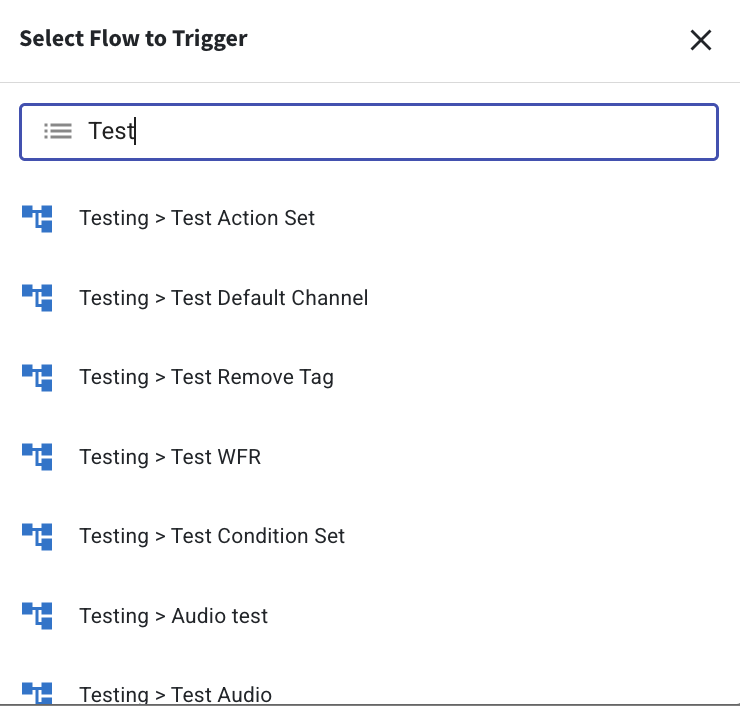
When you trigger a flow from the Inbox, you will now see the folder name together with the flow name.
The flow will appear in the format Folder Name > Flow Name, so you can easily see where the flow is located. This gives you clearer information when selecting a flow from the list. ✨
With the folder name displayed, it becomes easier to identify the correct flow before triggering it. This is especially useful if you have many flows stored in different folders or if some flows have similar names. It helps you quickly confirm that you are selecting the right flow. 📁
This enhancement helps reduce confusion and makes it easier to trigger the correct flow when managing conversations in the Inbox. 👍