Smarter Node Connections in Flowbuilder 📝
What's New:
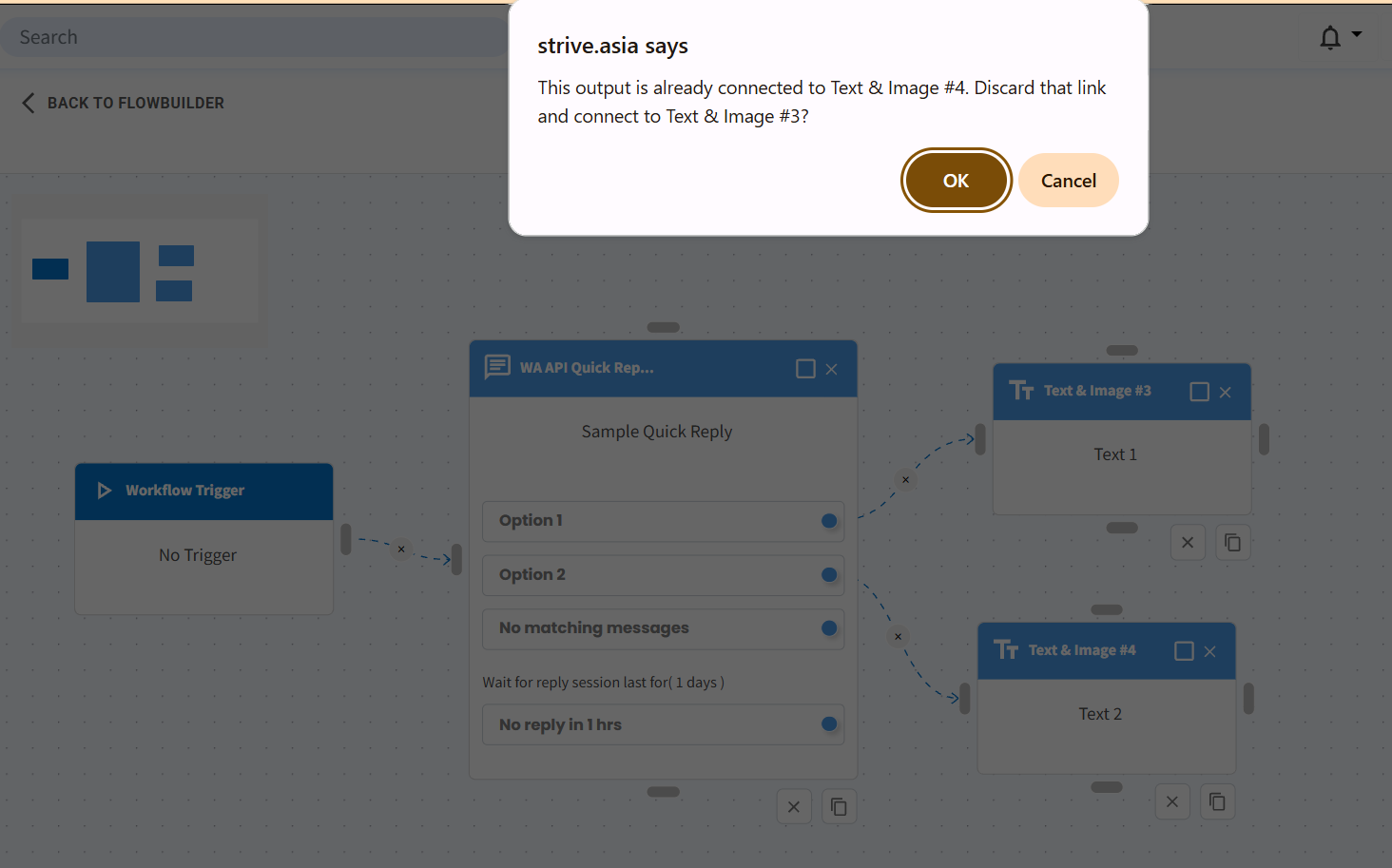
You can now drag to connect a new node even when another node is already linked. A confirmation prompt appears before the connection changes 🚀
What it means to you:
This saves you time by removing the need to delete old connections first. Your workflow stays smooth and uninterrupted ✨
How you can go about it:
1. Drag a new node toward the target node in your flow
2. A confirmation prompt will appear asking to replace the existing connection
3. Click confirm to complete the new link
Enjoy faster flow building 🎯