Find Chats by Message in Strive GO 🔎
What's New:
You can now search for specific messages directly in the Strive GO Inbox. 📱💬
What it means to you:
Instead of searching only by chat, you can search for a keyword or message content to quickly find the conversation where it was sent. This makes it easier to locate past customer conversations and information. 🚀
How you can go about it:
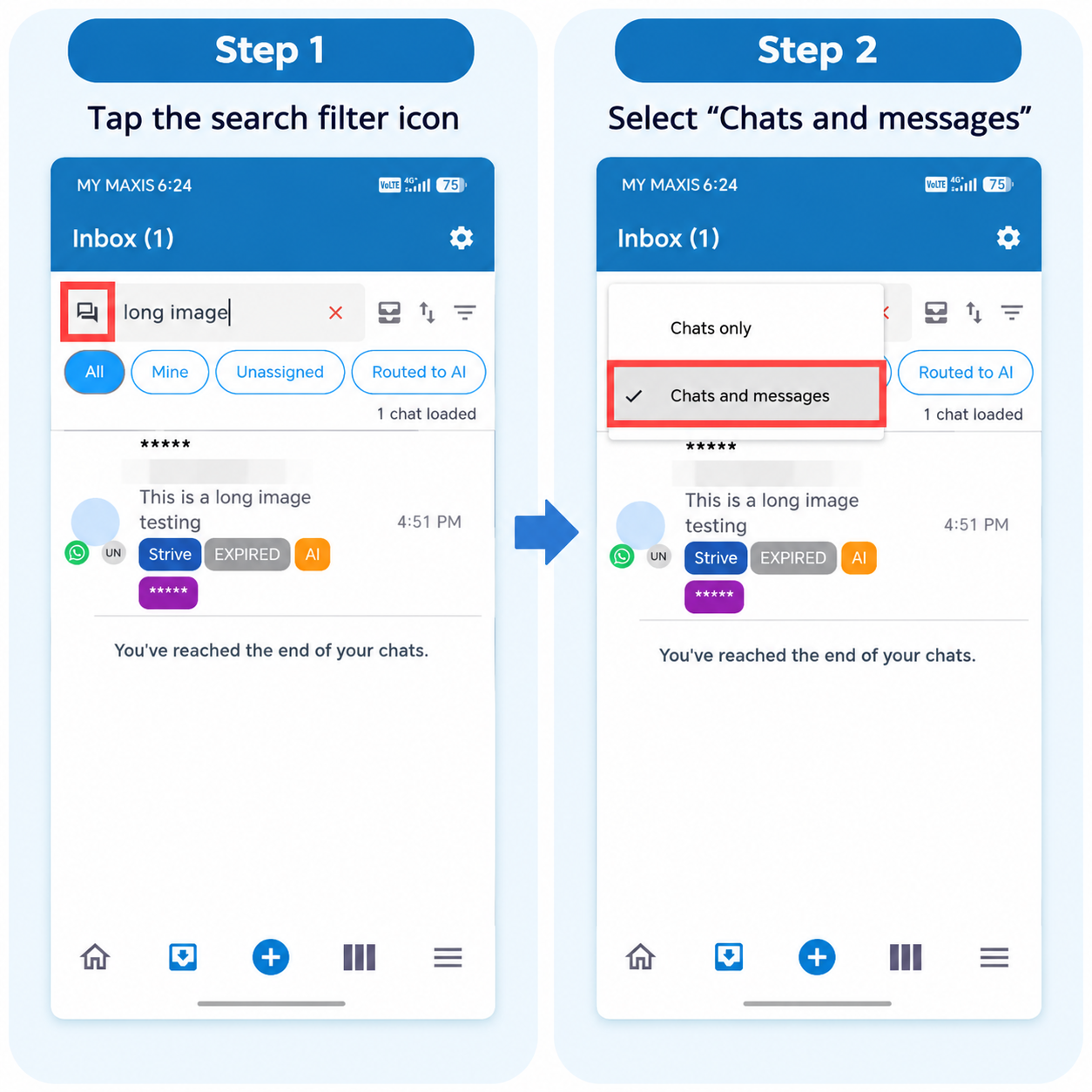
Open Strive GO and go to the Inbox.
Tap the Search filter icon.
Select Chats and messages.
Enter the keyword or message you want to search for.
Strive GO will show the chats containing the matching message. 🔍