New Counter Action in Flowbuilder 🔢
What’s New:
A new Counter action is now available in Flowbuilder. ➕
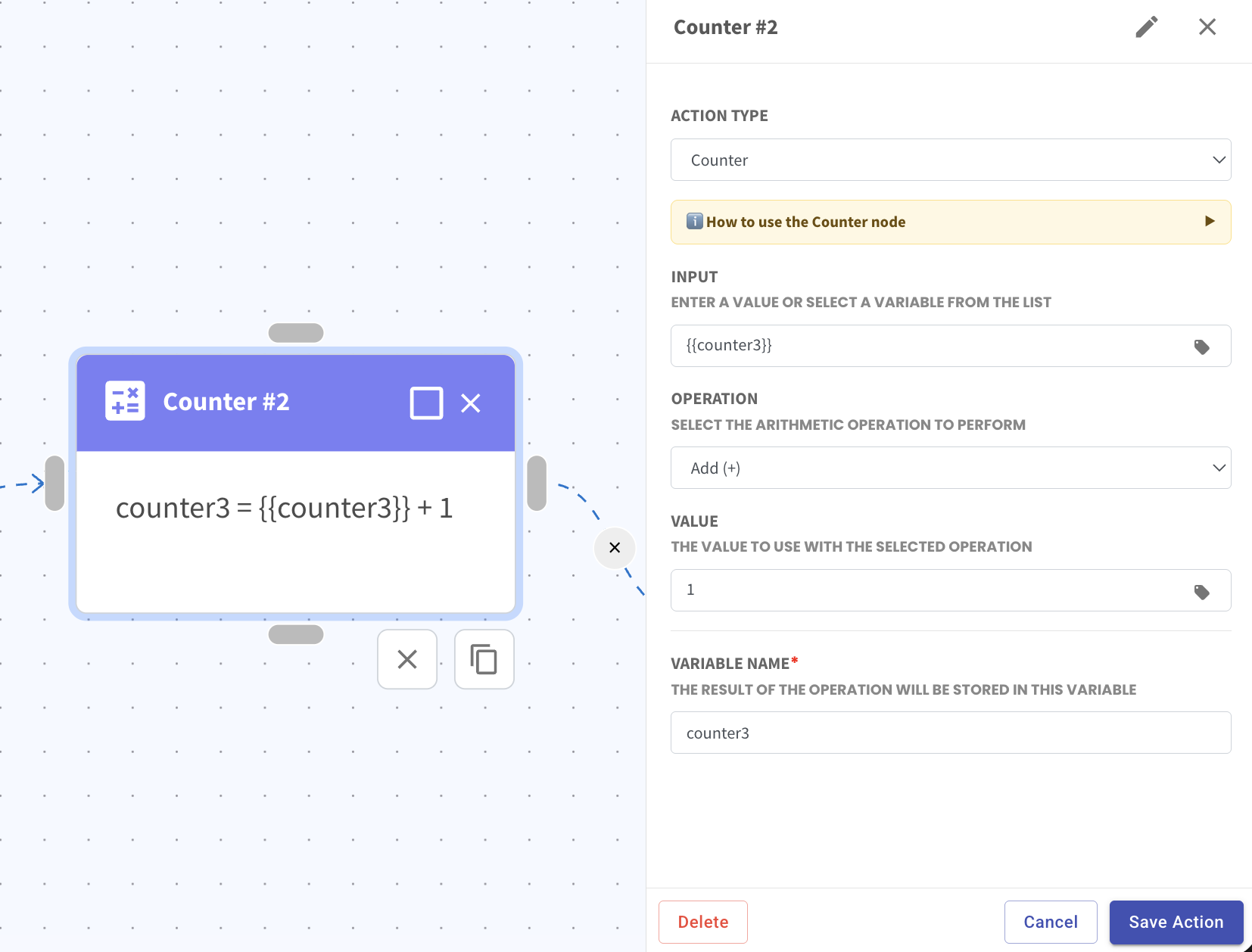
This allows you to update a variable or contact custom field by adding, minus, multiply, or divide a value automatically.
What it means to you:
You can track values such as counts, scores, or number of actions within your flow. 🎯
This makes it useful for use cases like surveys, quizzes, or tracking user behaviour.
How you can go about it:
Add the Counter action in your flow
Select the variable or input value
Choose the operation such as Add, Minus, Multiply, or Divide
Enter the value to apply
Set the variable name to store the result
Save the action and continue your flow
Example:
If the variable counter3 value was set as 0, when the contact goes through the flow, 1 will be added.
This means counter3 will now become 1.
You can then use this updated value in the next Counter action or update it into a contact custom field.