Role Permissions for Flowbuilder ⚙️
What's New:
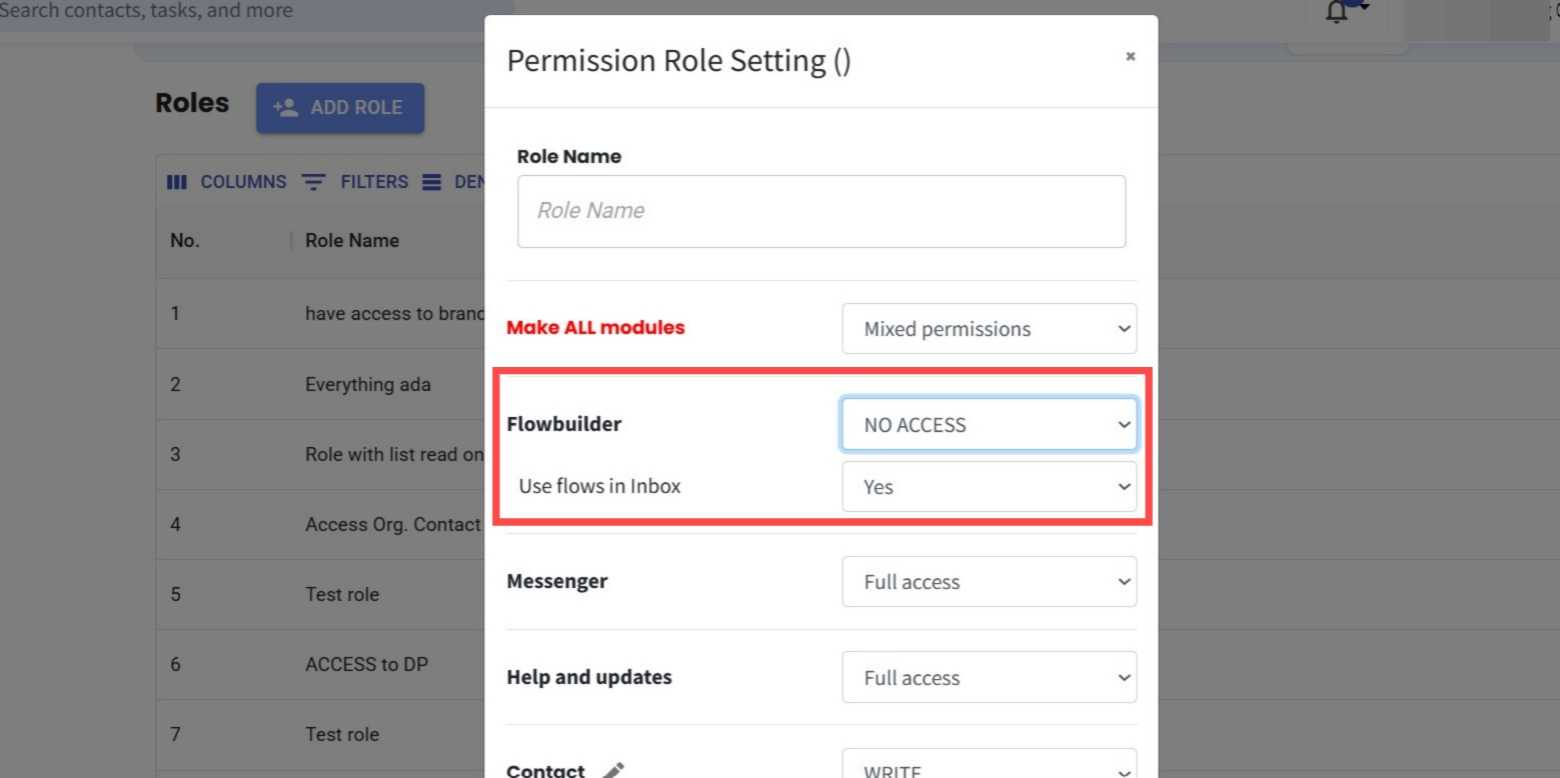
You can now set Role Permissions for Flowbuilder, giving you more control over what users can access and do in the Flowbuilder module and Inbox.
1. Flowbuilder
No Access: Users cannot see or access the Flowbuilder module.
View Only: Users can access the Flowbuilder module and view the list of flows, but cannot view flow node content or edit flows.
Full Access: Users have full access to the Flowbuilder module, including viewing and editing flows.
2. Use Flows in Inbox
Yes: Users can see and use flows in Inbox.
No: Users cannot see or use flows in Inbox.
What it means to you:
Admins can now set different Flowbuilder permissions for different roles based on what each user needs to access.
How you can go about it:
Go to Setting > Roles.
Click Add Role or edit an existing role.
Configure the Flowbuilder and Use Flows in Inbox access.
Scroll down and click Save Changes.
Apply the role to the relevant member.