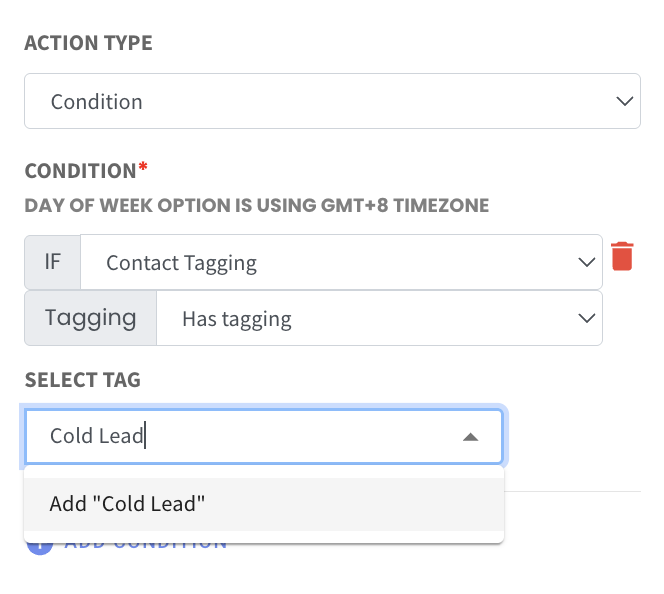
Add New Tags Directly in Condition Action 🏷️
What’s New:
You can now type and add a new tag directly when setting a Contact Tagging condition in Flowbuilder. ✍️
If the tag has not been used before, you can simply enter the tag name and add it on the spot without needing to adding it to the contact earlier.
What it means to you:
You can set up your conditions faster without switching to create tags. ⚡
This makes your flow setup smoother and more flexible when defining conditions.
How you can go about it:
In Flowbuilder, select the Condition action
Choose Contact Tagging
Select Has tagging or Has no tagging
Type the tag name in the Select Tag field
Click to add the new tag if it does not exist