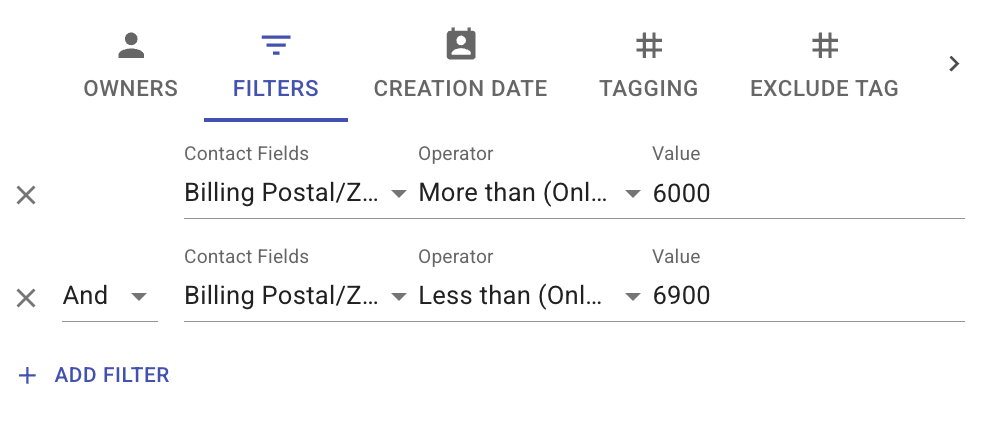
Filter Contacts by More Than or Less Than Values 🔢
What’s New:
You can now filter contacts using More Than or Less Than conditions for number based fields. 📊
This allows you to set a range or minimum or maximum value when filtering your contacts.
What it means to you:
You can easily narrow down contacts based on specific number ranges such as postal code or values. 🎯
This makes your filtering more precise and helps you find the right group of contacts faster.
How you can go about it:
Click on the three horizontal lines in the Contact module
Click Filters
Click Add Filter
Select the contact field
Choose the operator such as More Than or Less Than
Enter the value
Add more filters if needed
Click Apply Filter to view the results
This will display contacts that match the conditions you have set.