Gallery Image Only Action Now Support Buttons 🖼️
What's New:
Your Messenger and Instagram gallery can now include buttons alongside images.
Contacts get a richer experience with clear next steps right inside the gallery. ✨
What it means to you:
No more waiting for a contact to reply before the flow moves on.
Once the gallery is sent, the next action runs automatically, keeping your flow smooth and uninterrupted. 🎯
How you can go about it:
Here is how to set it up in just a few steps:
Head over to the Flowbuilder module and open an existing flow or start a new one.
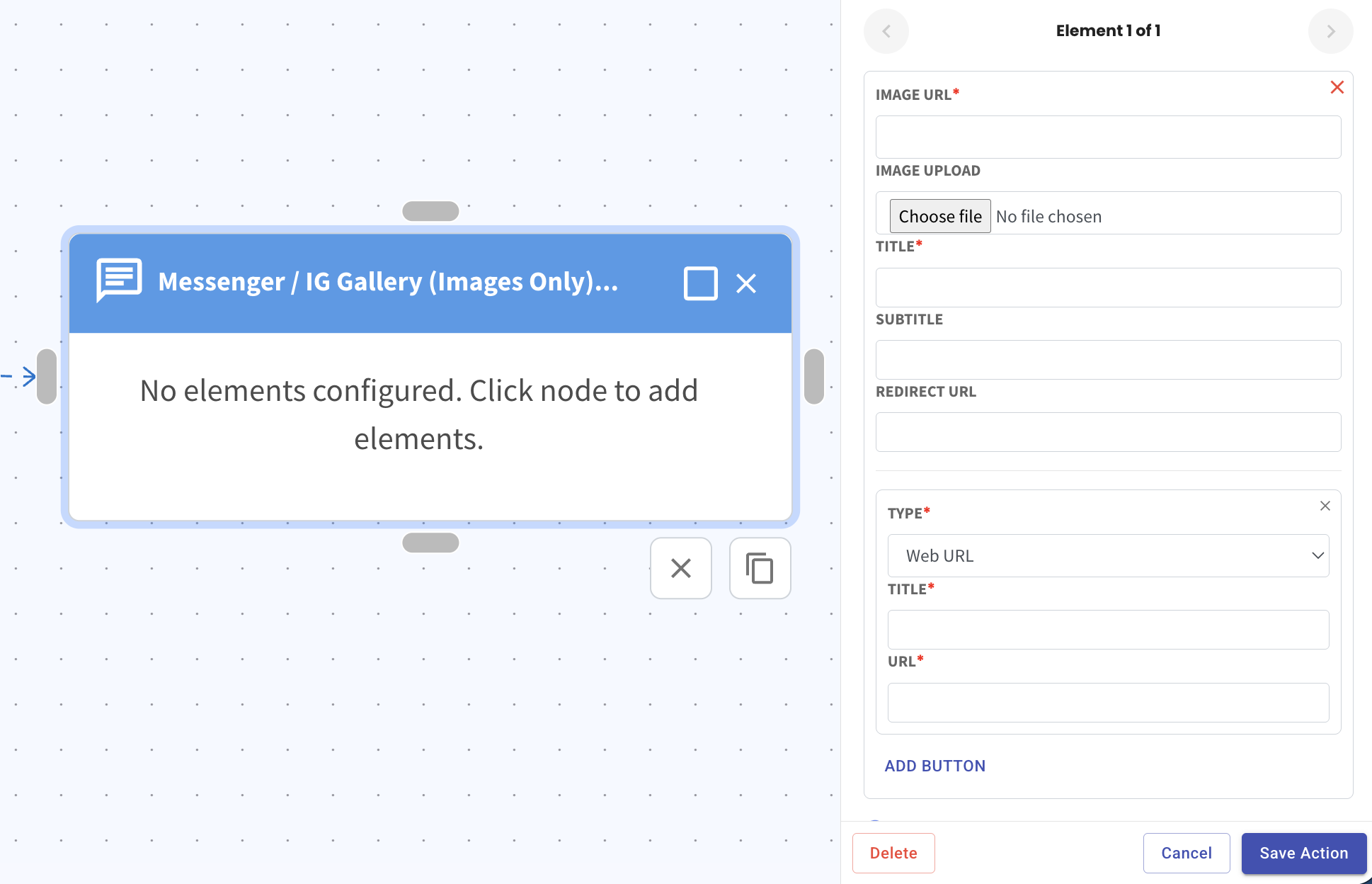
Add a Messenger / IG Gallery (Images Only) action, then click on the node to configure it. Upload your image and fill in the title to get your gallery ready.
Click Add Button at the bottom, choose the button type that fits your goal, and fill in the required fields. Hit Save Action when you are done.