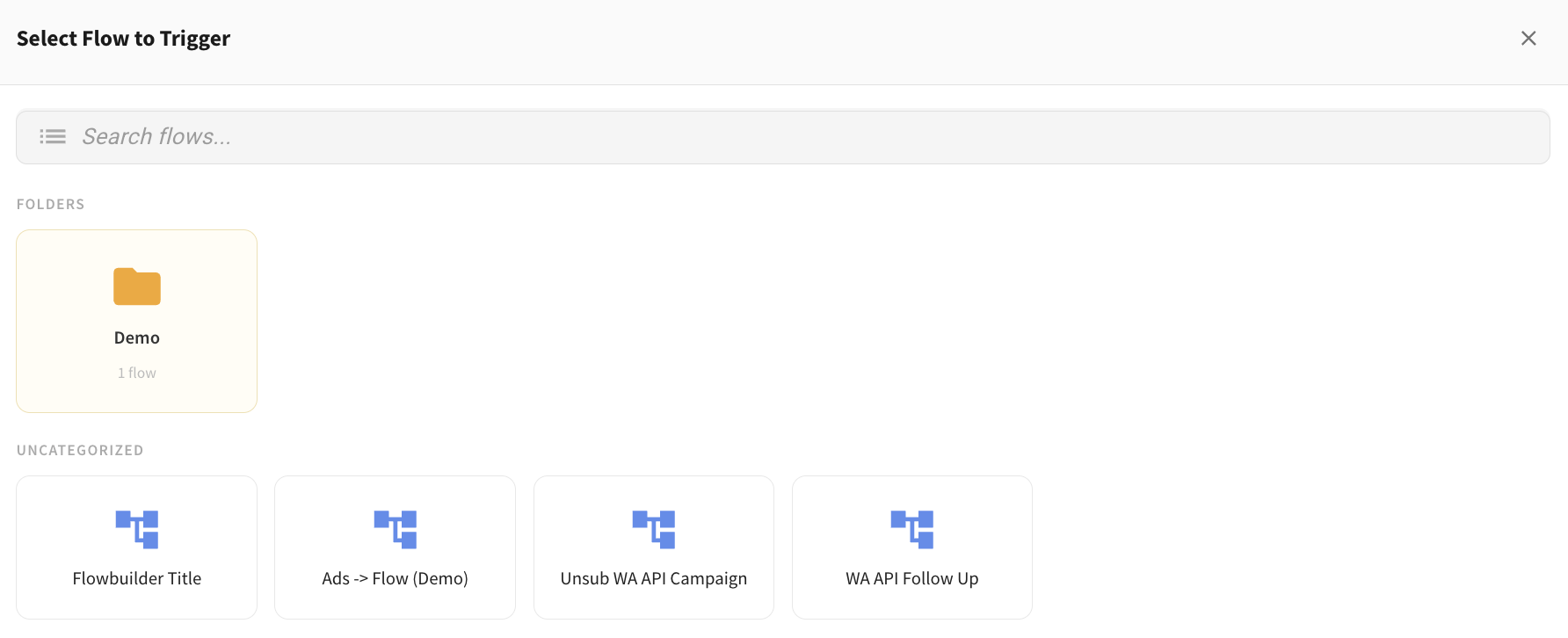
View Flows by Folder When Triggering a Flow 📂
What's New:
When you click on the Trigger Flow button in Inbox, you will now see flows organized by folders. 📋
Folders will appear at the top, and flows under Uncategorized will be shown below for easier browsing.
What it means to you:
You can clearly see how your flows are grouped and quickly find the right one without searching through a long list. 👀
This makes it easier to navigate and helps prevent triggering the wrong flow, especially when you have many flows with similar names.
How you can go about it:
Click on Trigger Flow in the Inbox
View the list of folders shown at the top
Click on a folder to see the flows inside it
Select the flow you want to trigger
Flows that are not in any folder will appear under Uncategorized by default.